Business strategy and scopes Joomla Template



Ten Sector Labels Form a Structured Joomla Content Region
The upper portion of the block is organized around a clear informational relationship: the heading “The value of deep industry knowledge” introduces two five-item lists containing ten named sectors. Aerospace and Defense, Automotive, Banking, Capital Markets, Chemicals, Life Sciences, Natural Resources, Public Service, Retail, and Travel give the section a defined coverage model rather than a single undifferentiated paragraph. In a Joomla-managed page, this arrangement can function as a stable visual region for structured industry information while other site content remains outside the block.
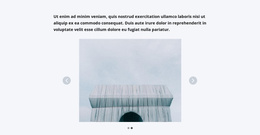
The carousel adds a second content group beneath the lists. Two landscape image slides appear inside a wide saturated yellow frame, with previous and next controls allowing visitors to move between them. The image attribution below the carousel remains part of the visual presentation and keeps the supporting media distinct from the sector labels. This division between informational lists and changing imagery helps the section retain a readable role inside a larger Joomla page.
Nicepage supports Joomla-oriented projects through its extension and article workflows. A relevant Nicepage Joomla workflow can provide broader CMS context, while this block remains one reusable content area. Its value lies in presenting sector coverage and supporting imagery together, not in acting as a complete Joomla template.
Customize with Nicepage
Open this ready-made template in the Joomla Page Builder and customize it visually in the Nicepage editor. Replace demo content, edit page sections, and adapt the design to your project without rebuilding the template from scratch.
Edit Template Offline
2. Create a new page or select existing
3. Click Add new block, search for id 110616 and click enter
Edit Template Online
Create Awesome Websites


Free Nicepage Builder
Keywords
Work With This Template in Joomla
Customize and Install the Joomla Template
Start with this ready-made template instead of building the Joomla design from scratch. Customize its layout, content, typography, images, sections, and other design elements visually in the Nicepage application, then export and install the Joomla Template, Nicepage Extension, and supported content on your Joomla website.
Edit the Template Directly in Joomla
After installation, you can edit the Joomla Template directly in Joomla with the Nicepage Joomla Extension. Customize the Header, Footer, Colors, Fonts, typography, and Page Templates from the Joomla workflow while keeping the site design connected with your CMS content.
Edit Joomla Articles Visually
Use the Nicepage Joomla Extension to open and edit Joomla Articles visually from the Joomla Administrator. Change text, images, sections, layouts, and other page content in the Nicepage editor while continuing to manage the Articles through Joomla.
Joomla Content and Template Integration
Use the customized template together with Joomla Articles, module Positions, menus, forms, Blog Pages, and other supported CMS elements. With the Nicepage Extension used as the Site Style Source, shared design settings can be applied across Joomla Articles while Joomla continues to provide the CMS environment for managing site content.
This workflow combines a ready-made Joomla Template with visual customization, direct template editing in Joomla, and continued content management through the Nicepage Joomla Extension.