
NOTE: You cannot edit the Header and Footer directly in WordPress and Joomla without importing the content. We will improve this functionality in the future.
Export And Import
Please follow these steps to edit the Header & Footer in CMS.
- Export "Pages and Editor Plugin"
- Install the plugin
- Import the content in your CMS
- Open a Page in the Nicepage editor to edit the Header and Footer.
For existing pages, select the "Nicepage Header and Footer" Template (see below). If you have a Plugin with version 1.22 or less, please follow steps 1-3 above.
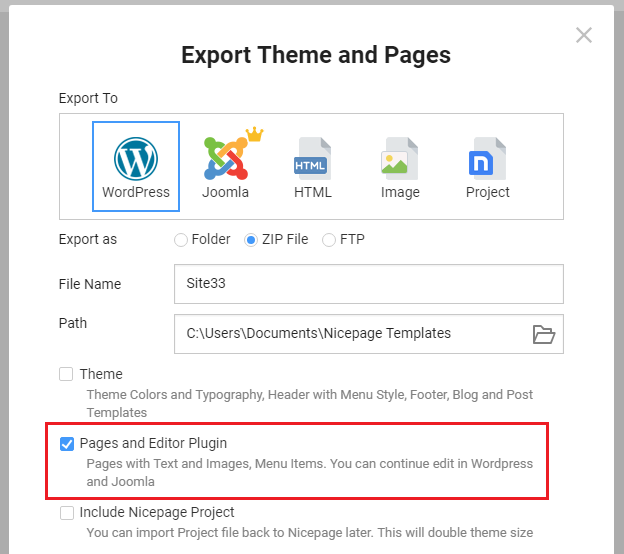
CMS Options Property
With this update, we have added a new CMS Option Property that allows you to select the Nicepage Header and Footer from the list of templates in the CMS.
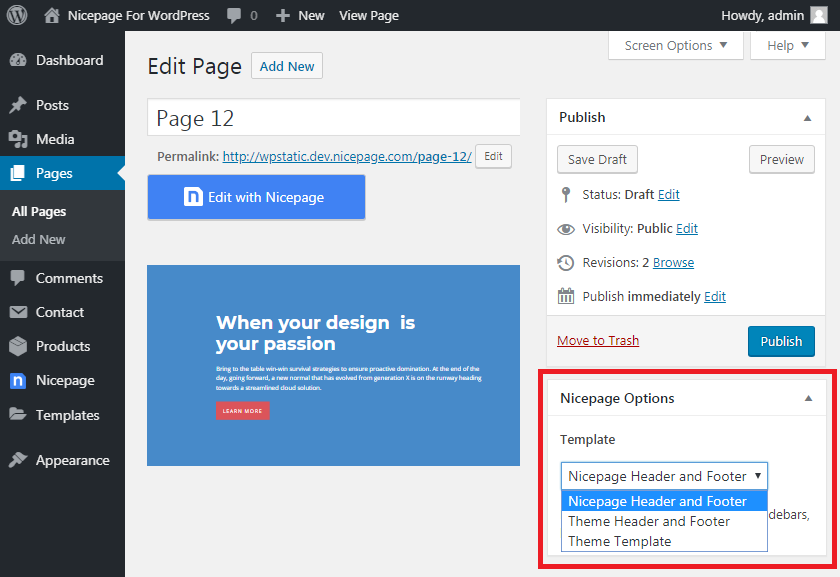
Page Property
We have also added the new page feature that allows you to specify the page width for the Nicepage template directly in the editor.
