Management consultant service WordPress Theme


A Focused Page Content Pattern for WordPress Projects
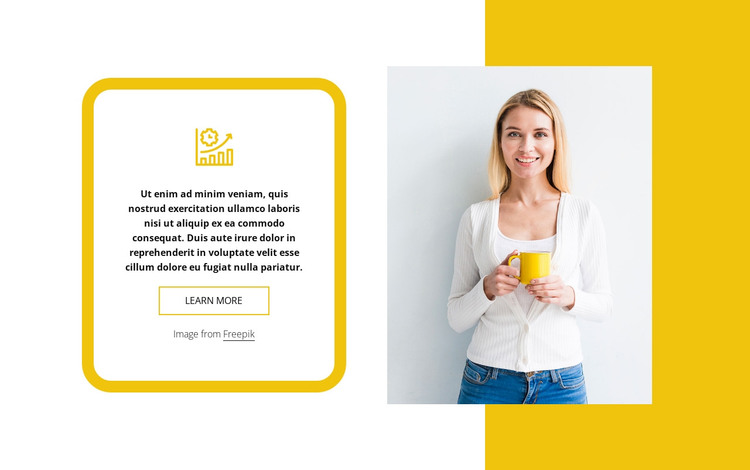
The centered paragraph and single “Learn more” button make the left card read as stable page content: one explanatory message followed by a clear next step. Its thick rounded yellow border defines the content area without requiring additional components, while the decorative icon gives the card a visual entry point. The separate attribution line can remain beneath the main message when image credit needs to be displayed with the section.
The portrait on the right changes the emphasis from text-only information to a human-centered presentation. A tall yellow rectangle behind the image repeats the card’s strongest accent, creating continuity across the split layout. The white field and generous surrounding space prevent the photograph from competing with the centered copy, so the section can sit within a WordPress-managed page alongside other content areas.
In a WordPress-oriented project, this block can serve as a reusable services, introduction, or supporting-information region when its final copy matches the page purpose. The placeholder paragraph should be replaced with approved text, and the “Learn more” button can point to a relevant page or section. Other CMS-managed content can surround it, but the block itself keeps a narrow, dependable role: present one message, support it with one portrait, and offer one action.
Customize with Nicepage
Open this ready-made template in the WordPress Website Builder and customize it visually in the Nicepage editor. Replace demo content, edit page sections, and adapt the design to your project without rebuilding the template from scratch.
Edit Template Offline
2. Create a new page or select existing
3. Click Add new block, search for id 922846 and click enter
Edit Template Online
Create Awesome Websites


Free Nicepage Builder
Keywords
Manage and Edit This Theme in WordPress
Customize and Install the WordPress Theme
Start with this ready-made theme instead of building the WordPress design from scratch. Customize its layout, content, typography, images, sections, and other design elements visually in Nicepage editor, then export and install the WordPress Theme, Plugin, and Pages on your WordPress site. The Nicepage WordPress Plugin lets you continue working with the site after installation.
Edit the Theme Directly in WordPress
After installation, you can edit the WordPress Theme directly in WordPress with the Nicepage WordPress Plugin. Use Site Style to customize site Colors, Fonts, Header, Footer, Blog, and Post Page Templates while working within your WordPress website.
Edit WordPress Pages Visually
Use the Nicepage WordPress Plugin to edit page content directly from the WordPress admin area. Open a WordPress Page with Nicepage and visually change its text, images, sections, and other page elements while continuing to manage the Page through WordPress.
WordPress Content and Theme Integration
Use the customized theme with WordPress Pages, Posts, Blog and Post Templates, menus, widgets, and other CMS-managed content. Shared theme elements such as Colors, Fonts, Header, Footer, Blog, and Post Page Templates can be managed as part of the overall site design, while WordPress provides the CMS environment for managing site content.
This workflow combines a ready-made WordPress Theme with visual customization, direct theme editing in WordPress, and continued content management through the Nicepage WordPress Plugin.