Cost-plus pricing WordPress Theme


Stable Plan Information Fits a WordPress-Managed Page
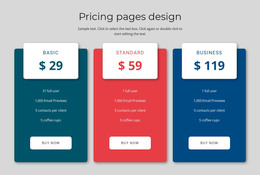
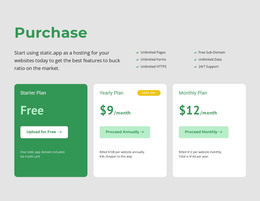
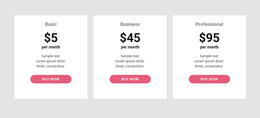
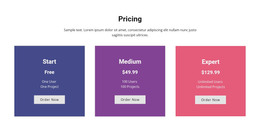
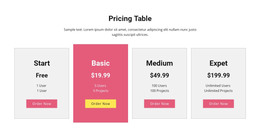
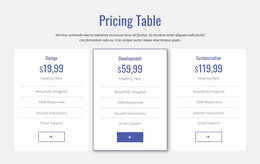
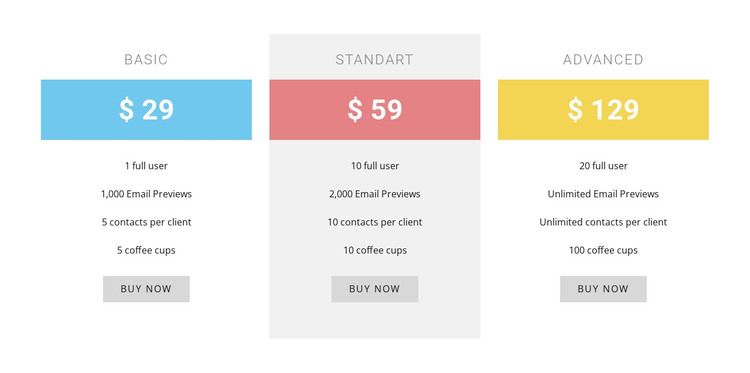
The block presents pricing as durable page content organized into three comparable groups. Each group contains a plan label, a displayed price, a multiline feature list, and a purchase button, making the relationship between the option, its included details, and its response point easy to preserve when the surrounding page is maintained. Basic, Standart, and Advanced remain visible together, which suits a services or subscription area that visitors may revisit when comparing choices.
The presentation has a clear visual pattern for page editing: blue, coral, and yellow bands mark the price areas, centered sans-serif text keeps the columns aligned, and the light gray center background provides a contained difference within the row. These treatments help the section remain recognizable if its plan wording or displayed values are updated. The sample prices and feature lines should be replaced with the project's actual content before publication, while the three-column relationship can remain intact.
In a WordPress-oriented project, the block can occupy a stable section of a page while other CMS-managed content grows around it. The purchase links can be connected to the appropriate destinations for the project, but the block's demonstrated function is the comparison itself. Nicepage supports WordPress page-content workflows, including editing content with its plugin, while the broader site manages the surrounding page structure.
Customize with Nicepage
Open this ready-made template in the WordPress Website Builder and customize it visually in the Nicepage editor. Replace demo content, edit page sections, and adapt the design to your project without rebuilding the template from scratch.
Edit Template Offline
2. Create a new page or select existing
3. Click Add new block, search for id 87808 and click enter
Edit Template Online
Create Awesome Websites


Free Nicepage Builder
Keywords
Manage and Edit This Theme in WordPress
Customize and Install the WordPress Theme
Start with this ready-made theme instead of building the WordPress design from scratch. Customize its layout, content, typography, images, sections, and other design elements visually in Nicepage editor, then export and install the WordPress Theme, Plugin, and Pages on your WordPress site. The Nicepage WordPress Plugin lets you continue working with the site after installation.
Edit the Theme Directly in WordPress
After installation, you can edit the WordPress Theme directly in WordPress with the Nicepage WordPress Plugin. Use Site Style to customize site Colors, Fonts, Header, Footer, Blog, and Post Page Templates while working within your WordPress website.
Edit WordPress Pages Visually
Use the Nicepage WordPress Plugin to edit page content directly from the WordPress admin area. Open a WordPress Page with Nicepage and visually change its text, images, sections, and other page elements while continuing to manage the Page through WordPress.
WordPress Content and Theme Integration
Use the customized theme with WordPress Pages, Posts, Blog and Post Templates, menus, widgets, and other CMS-managed content. Shared theme elements such as Colors, Fonts, Header, Footer, Blog, and Post Page Templates can be managed as part of the overall site design, while WordPress provides the CMS environment for managing site content.
This workflow combines a ready-made WordPress Theme with visual customization, direct theme editing in WordPress, and continued content management through the Nicepage WordPress Plugin.