Choose your pricing WordPress Theme


Stable Pricing Content for a WordPress-Managed Page
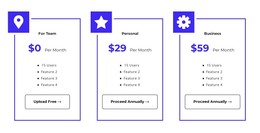
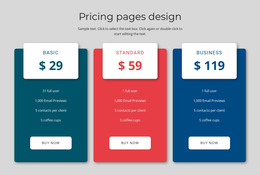
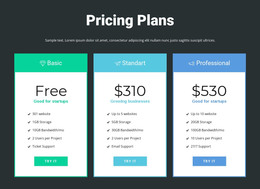
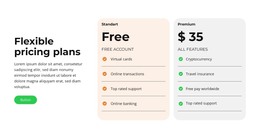
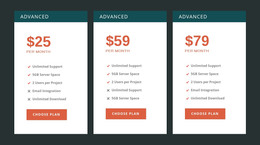
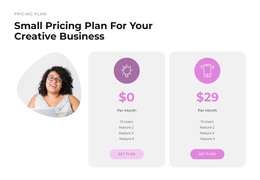
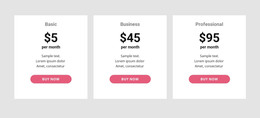
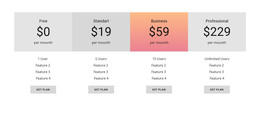
The centered heading and three-card row make this block read as stable page content rather than a temporary list of unrelated items. For Team, Personal, and Business plans are separated into clear visual groups, each with a displayed monthly price—$0, $29, or $59—four feature entries, and a Get Plan action. The repeated structure helps preserve the comparison when the section participates in a larger page whose surrounding content may change independently.
A WordPress-oriented project can use this block as a permanent pricing area alongside other publishable page content. The section’s visual logic remains contained: blue panels identify the plan groups, yellow prices emphasize the central comparison, and rounded cards with soft shadows keep the alternatives distinct on the white background. The consistent action placement also gives each plan the same response opportunity without implying a particular store, membership system, or checkout integration. Other page sections can explain the offer, provide testimonials, answer questions, or supply contact information around this pricing area. The CMS context describes how the section may participate in a managed page; it does not change the block into a standalone WordPress Theme. Its specific value is the organized, reusable presentation of three plan choices and their included feature summaries.
Customize with Nicepage
Open this ready-made template in the WordPress Website Builder and customize it visually in the Nicepage editor. Replace demo content, edit page sections, and adapt the design to your project without rebuilding the template from scratch.
Edit Template Offline
2. Create a new page or select existing
3. Click Add new block, search for id 2112819 and click enter
Edit Template Online
Create Awesome Websites


Free Nicepage Builder
Keywords
Manage and Edit This Theme in WordPress
Customize and Install the WordPress Theme
Start with this ready-made theme instead of building the WordPress design from scratch. Customize its layout, content, typography, images, sections, and other design elements visually in Nicepage editor, then export and install the WordPress Theme, Plugin, and Pages on your WordPress site. The Nicepage WordPress Plugin lets you continue working with the site after installation.
Edit the Theme Directly in WordPress
After installation, you can edit the WordPress Theme directly in WordPress with the Nicepage WordPress Plugin. Use Site Style to customize site Colors, Fonts, Header, Footer, Blog, and Post Page Templates while working within your WordPress website.
Edit WordPress Pages Visually
Use the Nicepage WordPress Plugin to edit page content directly from the WordPress admin area. Open a WordPress Page with Nicepage and visually change its text, images, sections, and other page elements while continuing to manage the Page through WordPress.
WordPress Content and Theme Integration
Use the customized theme with WordPress Pages, Posts, Blog and Post Templates, menus, widgets, and other CMS-managed content. Shared theme elements such as Colors, Fonts, Header, Footer, Blog, and Post Page Templates can be managed as part of the overall site design, while WordPress provides the CMS environment for managing site content.
This workflow combines a ready-made WordPress Theme with visual customization, direct theme editing in WordPress, and continued content management through the Nicepage WordPress Plugin.