Art Nouveau gallery WordPress Theme


Four Image Tiles Create Stable Editorial Page Content
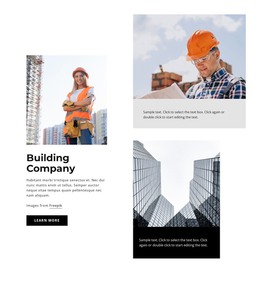
The four photographic tiles make this block suitable for a stable visual section on a WordPress-managed page. The large horizontal image at the upper left establishes a broad entry point, while the portrait image at the upper right adds a contrasting vertical frame. A further image in the lower portion is paired with a centered quotation panel, giving the gallery a text-led pause rather than presenting a uniform set of thumbnails.
The sentence, “In every walk with nature, one receives far more than he seeks,” functions as supporting editorial content within the visual composition. It can be replaced with project-specific text while the light-gray panel continues to distinguish the quotation from the muted neutral photography. White space around the asymmetrical collage keeps the five-part arrangement readable and helps the section sit alongside other page content without requiring a separate page role.
For a WordPress-oriented project, the block is best understood as reusable page content: a gallery area that can remain visually consistent while the surrounding site manages its broader content and structure. Its static interaction keeps the presentation focused on image selection, crop variation, and the relationship between imagery and text. This makes the section appropriate for an editorial, portfolio, or visual-storytelling area where the gallery itself carries the main emphasis.
Customize with Nicepage
Open this ready-made template in the WordPress Website Builder and customize it visually in the Nicepage editor. Replace demo content, edit page sections, and adapt the design to your project without rebuilding the template from scratch.
Edit Template Offline
2. Create a new page or select existing
3. Click Add new block, search for id 664356 and click enter
Edit Template Online
Create Awesome Websites


Free Nicepage Builder
Keywords
Manage and Edit This Theme in WordPress
Customize and Install the WordPress Theme
Start with this ready-made theme instead of building the WordPress design from scratch. Customize its layout, content, typography, images, sections, and other design elements visually in Nicepage editor, then export and install the WordPress Theme, Plugin, and Pages on your WordPress site. The Nicepage WordPress Plugin lets you continue working with the site after installation.
Edit the Theme Directly in WordPress
After installation, you can edit the WordPress Theme directly in WordPress with the Nicepage WordPress Plugin. Use Site Style to customize site Colors, Fonts, Header, Footer, Blog, and Post Page Templates while working within your WordPress website.
Edit WordPress Pages Visually
Use the Nicepage WordPress Plugin to edit page content directly from the WordPress admin area. Open a WordPress Page with Nicepage and visually change its text, images, sections, and other page elements while continuing to manage the Page through WordPress.
WordPress Content and Theme Integration
Use the customized theme with WordPress Pages, Posts, Blog and Post Templates, menus, widgets, and other CMS-managed content. Shared theme elements such as Colors, Fonts, Header, Footer, Blog, and Post Page Templates can be managed as part of the overall site design, while WordPress provides the CMS environment for managing site content.
This workflow combines a ready-made WordPress Theme with visual customization, direct theme editing in WordPress, and continued content management through the Nicepage WordPress Plugin.