Confidentiality you can rely on WordPress Theme


Edit Template Offline
2. Create new page and search for id 6543606
Edit Template Online
Create Awesome Websites


Free Nicepage Builder
Keywords
Page-Oriented Policy Content Fits a Managed WordPress Site Structure
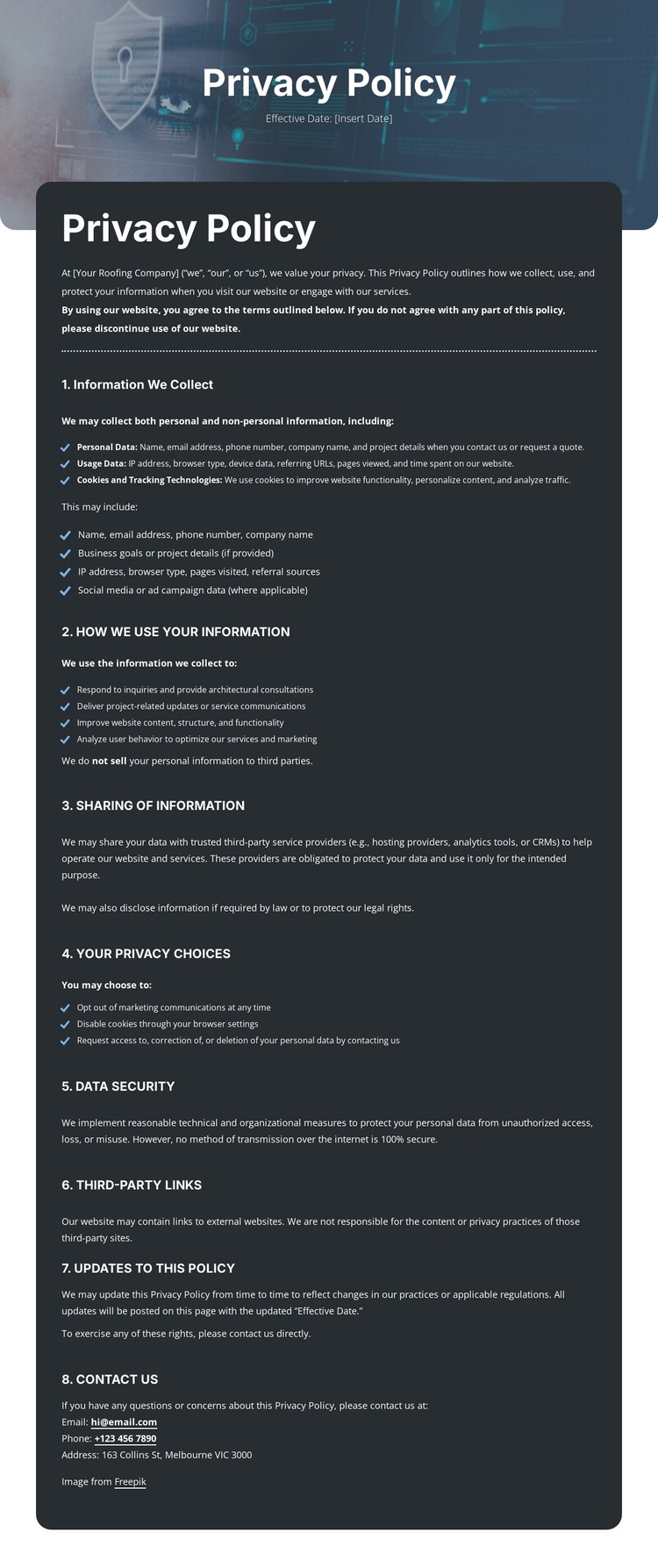
The design is centered on permanent page content rather than an editorial stream. The title panel identifies the Privacy Policy, the introductory block establishes its scope, and the eight numbered sections provide the main page body. Their progression from information collection and cookies to use, sharing, privacy choices, security, third-party links, updates, and contact creates a stable document that can sit alongside other WordPress-managed pages such as About or Services content suggested by the navigation.
The repeated heading, paragraph, and bullet-list pattern is useful for maintaining policy text while preserving a recognizable visual system. The listed email, phone, and postal channels form a clear contact area, and the Questions? footer gives the page a shared closing treatment. These elements are more relevant to a WordPress interpretation than inventing blog posts, categories, or other CMS structures that the analysis does not verify. The page can remain focused on policy information while the surrounding site manages its other content separately.
Nicepage’s WordPress Plugin is an optional bridge when a project needs to edit supported page content in WordPress, but the existing template should not be described as containing WordPress functionality already. Its practical theme value comes from mapping a complete policy page, shared navigation context, and contact regions into a CMS-managed site. The design preserves a consistent visual direction while leaving the actual policy wording, date, and contact details available for project-specific content management.
Customize with Nicepage
Open this ready-made template in the WordPress Website Builder and customize it visually in the Nicepage editor. Replace demo content, edit page sections, and adapt the design to your project without rebuilding the template from scratch.
Manage and Edit This Theme in WordPress
Customize and Install the WordPress Theme
Start with this ready-made theme instead of building the WordPress design from scratch. Customize its layout, content, typography, images, sections, and other design elements visually in Nicepage editor, then export and install the WordPress Theme, Plugin, and Pages on your WordPress site. The Nicepage WordPress Plugin lets you continue working with the site after installation.
Edit the Theme Directly in WordPress
After installation, you can edit the WordPress Theme directly in WordPress with the Nicepage WordPress Plugin. Use Site Style to customize site Colors, Fonts, Header, Footer, Blog, and Post Page Templates while working within your WordPress website.
Edit WordPress Pages Visually
Use the Nicepage WordPress Plugin to edit page content directly from the WordPress admin area. Open a WordPress Page with Nicepage and visually change its text, images, sections, and other page elements while continuing to manage the Page through WordPress.
WordPress Content and Theme Integration
Use the customized theme with WordPress Pages, Posts, Blog and Post Templates, menus, widgets, and other CMS-managed content. Shared theme elements such as Colors, Fonts, Header, Footer, Blog, and Post Page Templates can be managed as part of the overall site design, while WordPress provides the CMS environment for managing site content.
This workflow combines a ready-made WordPress Theme with visual customization, direct theme editing in WordPress, and continued content management through the Nicepage WordPress Plugin.