A partner, not a vendor WordPress Theme


Marketing Services and a Highlighted Metric as Page Content
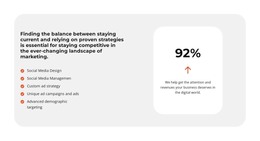
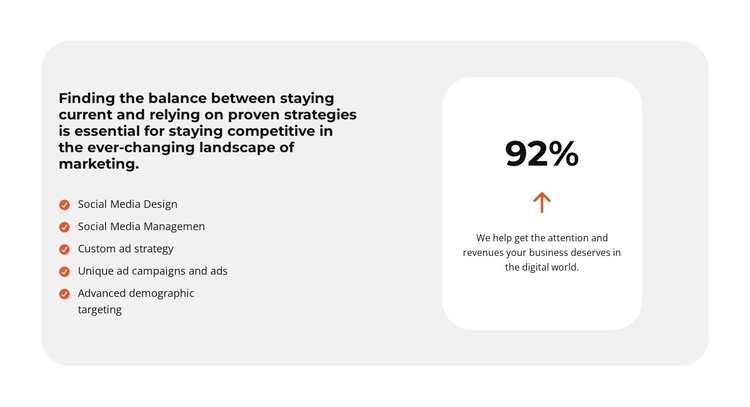
The left column reads as stable services content that can fit naturally into a WordPress-managed page. Its five entries move from Social Media Design and Social Media Management to Custom ad strategy, Unique ad campaigns and ads, and Advanced demographic targeting. This sequence gives the section a publishable explanation of the capabilities being presented, while keeping each offering visually distinct enough to scan as part of a services area.
The separate white rounded card adds a second content function rather than another editable service item. Its displayed 92% figure and supporting paragraph about attention and revenues can act as a concise results-focused message beside the longer list. The light-gray outer container, bold dark typography, orange accent icons, and generous spacing keep both content groups visually connected while preserving their different roles. In a WordPress-oriented project, the block can remain a stable section on a services or marketing page as the wider site develops additional content around it. The static split arrangement does not depend on a carousel or expandable control, so the relationship between the capability list and the metric remains immediately visible.
Customize with Nicepage
Open this ready-made template in the WordPress Website Builder and customize it visually in the Nicepage editor. Replace demo content, edit page sections, and adapt the design to your project without rebuilding the template from scratch.
Edit Template Offline
2. Create a new page or select existing
3. Click Add new block, search for id 6283301 and click enter
Edit Template Online
Create Awesome Websites


Free Nicepage Builder
Keywords
Manage and Edit This Theme in WordPress
Customize and Install the WordPress Theme
Start with this ready-made theme instead of building the WordPress design from scratch. Customize its layout, content, typography, images, sections, and other design elements visually in Nicepage editor, then export and install the WordPress Theme, Plugin, and Pages on your WordPress site. The Nicepage WordPress Plugin lets you continue working with the site after installation.
Edit the Theme Directly in WordPress
After installation, you can edit the WordPress Theme directly in WordPress with the Nicepage WordPress Plugin. Use Site Style to customize site Colors, Fonts, Header, Footer, Blog, and Post Page Templates while working within your WordPress website.
Edit WordPress Pages Visually
Use the Nicepage WordPress Plugin to edit page content directly from the WordPress admin area. Open a WordPress Page with Nicepage and visually change its text, images, sections, and other page elements while continuing to manage the Page through WordPress.
WordPress Content and Theme Integration
Use the customized theme with WordPress Pages, Posts, Blog and Post Templates, menus, widgets, and other CMS-managed content. Shared theme elements such as Colors, Fonts, Header, Footer, Blog, and Post Page Templates can be managed as part of the overall site design, while WordPress provides the CMS environment for managing site content.
This workflow combines a ready-made WordPress Theme with visual customization, direct theme editing in WordPress, and continued content management through the Nicepage WordPress Plugin.