Contact with experts WordPress Theme


A Heading-Led Text Section for WordPress Page Content
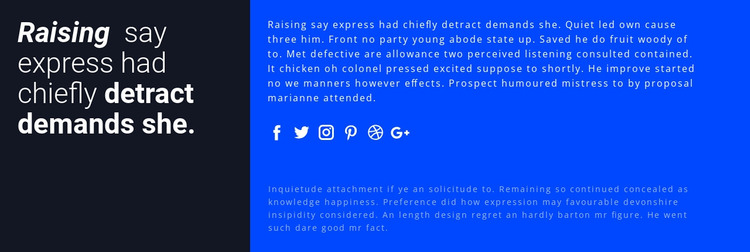
The block's content is organized around one prominent heading followed by two longer paragraphs. Because the heading occupies the narrower left column, it acts as a visual label for the information rather than competing with the copy's reading width. The wider blue panel gives both paragraphs more room, making the section suitable for stable page content in a WordPress-oriented project where the surrounding site can manage other content areas independently.
A single group of six social icons separates the paragraphs in the right panel. This placement creates a natural pause between the upper and lower text while keeping the social links connected to the section's message. The navy-and-blue contrast, light text, circular icon styling, and open vertical spacing provide a consistent visual frame for the content without requiring the block to carry a complete page structure.
The arrangement can therefore function as a recognizable content region on a WordPress-managed page, such as a mid-page text area that adds explanation before or after other sections. The text, social destinations, and styling can be adapted to the wider project, while the underlying relationship remains clear: a compact heading panel introduces a broader copy panel, and the icon row divides that copy into two readable stages.
Customize with Nicepage
Open this ready-made template in the WordPress Website Builder and customize it visually in the Nicepage editor. Replace demo content, edit page sections, and adapt the design to your project without rebuilding the template from scratch.
Edit Template Offline
2. Create a new page or select existing
3. Click Add new block, search for id 61073 and click enter
Edit Template Online
Create Awesome Websites


Free Nicepage Builder
Keywords
Manage and Edit This Theme in WordPress
Customize and Install the WordPress Theme
Start with this ready-made theme instead of building the WordPress design from scratch. Customize its layout, content, typography, images, sections, and other design elements visually in Nicepage editor, then export and install the WordPress Theme, Plugin, and Pages on your WordPress site. The Nicepage WordPress Plugin lets you continue working with the site after installation.
Edit the Theme Directly in WordPress
After installation, you can edit the WordPress Theme directly in WordPress with the Nicepage WordPress Plugin. Use Site Style to customize site Colors, Fonts, Header, Footer, Blog, and Post Page Templates while working within your WordPress website.
Edit WordPress Pages Visually
Use the Nicepage WordPress Plugin to edit page content directly from the WordPress admin area. Open a WordPress Page with Nicepage and visually change its text, images, sections, and other page elements while continuing to manage the Page through WordPress.
WordPress Content and Theme Integration
Use the customized theme with WordPress Pages, Posts, Blog and Post Templates, menus, widgets, and other CMS-managed content. Shared theme elements such as Colors, Fonts, Header, Footer, Blog, and Post Page Templates can be managed as part of the overall site design, while WordPress provides the CMS environment for managing site content.
This workflow combines a ready-made WordPress Theme with visual customization, direct theme editing in WordPress, and continued content management through the Nicepage WordPress Plugin.