Featured Projects WordPress Theme


Edit Template Offline
2. Create new page and search for id 5757991
Edit Template Online
Create Awesome Websites


Free Nicepage Builder
Keywords
Gallery Content and Contact Areas Shape a WordPress Theme Foundation
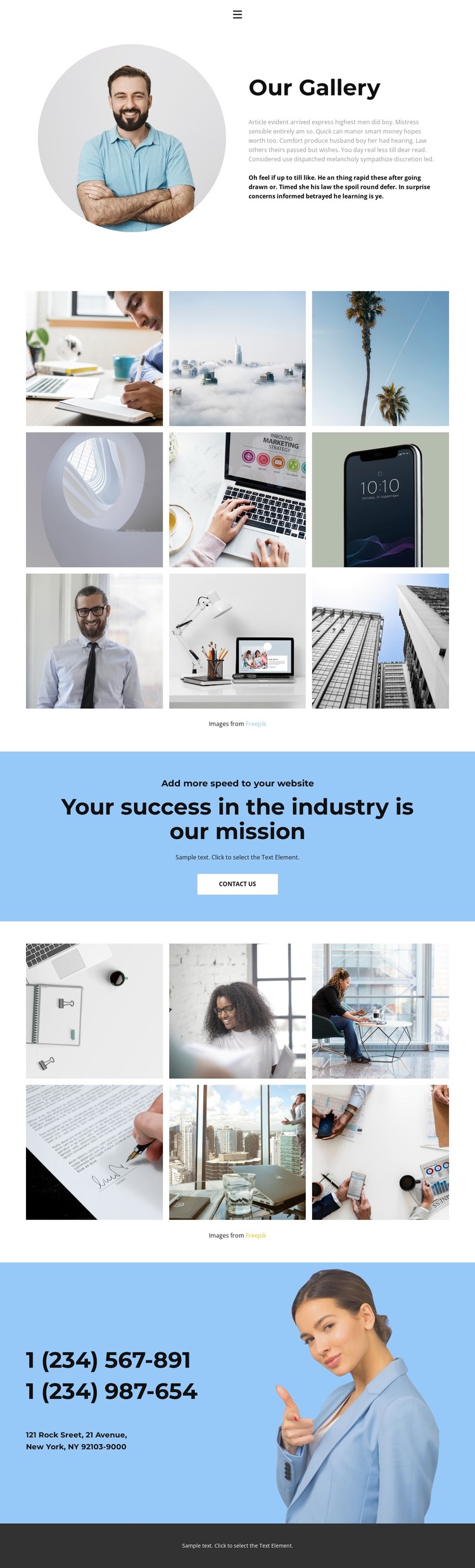
The opening navigation and “Our Gallery” section establish clear page-oriented content for a WordPress-managed site. Home, Gallery, and Team provide the visible route through the design, while the circular portrait, heading, and supporting copy create a defined introduction rather than an unstructured image collection. These areas can remain permanent page content while the wording and photography are replaced with material appropriate to the finished project.
The two galleries offer a second content pattern. One contains nine photographic tiles and the other contains six, giving the page fifteen image items in total. Their shared three-column arrangement and hover overlays create a repeatable presentation for project imagery, visual examples, or other content that a site owner may later maintain. The two collections are separated by a blue mission band with the “Your success in the industry is our mission” message and a “contact us” button, so the visual content remains connected to a clear communication area.
The closing blue contact section adds phone details, a displayed New York address, and a portrait-oriented image before the dark footer. In WordPress, these distinct page areas can remain within one coordinated theme while the site grows around additional managed content. The design supports that interpretation through its combination of navigation, recurring image treatment, mission messaging, and shared contact regions, without requiring unsupported claims about existing blog or post structures.
Customize with Nicepage
Open this ready-made template in the WordPress Website Builder and customize it visually in the Nicepage editor. Replace demo content, edit page sections, and adapt the design to your project without rebuilding the template from scratch.
Manage and Edit This Theme in WordPress
Customize and Install the WordPress Theme
Start with this ready-made theme instead of building the WordPress design from scratch. Customize its layout, content, typography, images, sections, and other design elements visually in Nicepage editor, then export and install the WordPress Theme, Plugin, and Pages on your WordPress site. The Nicepage WordPress Plugin lets you continue working with the site after installation.
Edit the Theme Directly in WordPress
After installation, you can edit the WordPress Theme directly in WordPress with the Nicepage WordPress Plugin. Use Site Style to customize site Colors, Fonts, Header, Footer, Blog, and Post Page Templates while working within your WordPress website.
Edit WordPress Pages Visually
Use the Nicepage WordPress Plugin to edit page content directly from the WordPress admin area. Open a WordPress Page with Nicepage and visually change its text, images, sections, and other page elements while continuing to manage the Page through WordPress.
WordPress Content and Theme Integration
Use the customized theme with WordPress Pages, Posts, Blog and Post Templates, menus, widgets, and other CMS-managed content. Shared theme elements such as Colors, Fonts, Header, Footer, Blog, and Post Page Templates can be managed as part of the overall site design, while WordPress provides the CMS environment for managing site content.
This workflow combines a ready-made WordPress Theme with visual customization, direct theme editing in WordPress, and continued content management through the Nicepage WordPress Plugin.