Feedback from designers WordPress Theme


The Centered Testimonial Keeps WordPress Page Content Focused
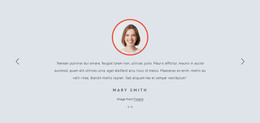
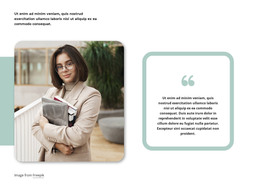
The block's content is organized around a single testimonial rather than a collection of posts or repeated cards. One portrait provides the visual introduction, the centered serif quotation carries the message, and the horizontal divider marks the transition to the author name. This order gives the page content a clear beginning, central statement, and attribution without requiring a visitor to open an interactive element.
For a WordPress-managed page, the section can serve as stable testimonial content within a broader site. Its compact structure is suitable for a services, portfolio, or about-related page where a personal perspective should support nearby information without taking over the page. The displayed quotation is attributed to Mike Norton, while the portrait supplies a matching visual reference for the named speaker.
The white background and strong central alignment make the region easy to distinguish from surrounding content. Black-and-white portrait imagery keeps the visual treatment restrained, while serif typography gives the quotation a different texture from ordinary body copy. The bold emphasis within the quote creates a focal point before the divider leads the eye toward the attribution. Because the interaction is static, the entire testimonial remains available as one visible page section. WordPress can provide the wider content environment, while this block contributes one self-contained testimonial moment.
Customize with Nicepage
Open this ready-made template in the WordPress Website Builder and customize it visually in the Nicepage editor. Replace demo content, edit page sections, and adapt the design to your project without rebuilding the template from scratch.
Edit Template Offline
2. Create a new page or select existing
3. Click Add new block, search for id 56549 and click enter
Edit Template Online
Create Awesome Websites


Free Nicepage Builder
Keywords
Manage and Edit This Theme in WordPress
Customize and Install the WordPress Theme
Start with this ready-made theme instead of building the WordPress design from scratch. Customize its layout, content, typography, images, sections, and other design elements visually in Nicepage editor, then export and install the WordPress Theme, Plugin, and Pages on your WordPress site. The Nicepage WordPress Plugin lets you continue working with the site after installation.
Edit the Theme Directly in WordPress
After installation, you can edit the WordPress Theme directly in WordPress with the Nicepage WordPress Plugin. Use Site Style to customize site Colors, Fonts, Header, Footer, Blog, and Post Page Templates while working within your WordPress website.
Edit WordPress Pages Visually
Use the Nicepage WordPress Plugin to edit page content directly from the WordPress admin area. Open a WordPress Page with Nicepage and visually change its text, images, sections, and other page elements while continuing to manage the Page through WordPress.
WordPress Content and Theme Integration
Use the customized theme with WordPress Pages, Posts, Blog and Post Templates, menus, widgets, and other CMS-managed content. Shared theme elements such as Colors, Fonts, Header, Footer, Blog, and Post Page Templates can be managed as part of the overall site design, while WordPress provides the CMS environment for managing site content.
This workflow combines a ready-made WordPress Theme with visual customization, direct theme editing in WordPress, and continued content management through the Nicepage WordPress Plugin.