Contact details and text WordPress Theme


Phone, Location, and Services Become Stable Page Content
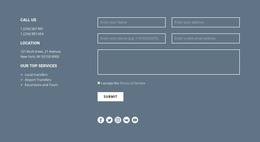
The middle panel reads as stable page content rather than a stream of dated updates. Its Call Us, Location, and Our Top Services labels establish a practical information hierarchy, with phone details, a location entry, and three grouped offerings—Local transfers, Airport Transfers, and Excursions and Tours. For a WordPress-managed page, this makes the section suitable for a persistent contact or service area that visitors can return to when they need essential details.
The surrounding columns give that information a broader communication frame. A single bold statement on the left introduces the message, while the right-hand paragraph adds explanatory context about customer expectations, technology, GPS tracking, and time spent at customers’ homes. The centered alignment keeps the three regions visually related, but the solid red center panel gives the contact content a stronger visual priority than the muted peach outer field.
In a WordPress-oriented project, the block can sit within permanent page content while other parts of the site handle navigation, longer service explanations, or regularly updated material. Its grouped service list can remain a concise reference point, and the two phone entries can be maintained as part of the page’s contact information. The section therefore supports a publishable content role without becoming a complete theme or site structure.
Customize with Nicepage
Open this ready-made template in the WordPress Website Builder and customize it visually in the Nicepage editor. Replace demo content, edit page sections, and adapt the design to your project without rebuilding the template from scratch.
Edit Template Offline
2. Create a new page or select existing
3. Click Add new block, search for id 550380 and click enter
Edit Template Online
Create Awesome Websites


Free Nicepage Builder
Keywords
Manage and Edit This Theme in WordPress
Customize and Install the WordPress Theme
Start with this ready-made theme instead of building the WordPress design from scratch. Customize its layout, content, typography, images, sections, and other design elements visually in Nicepage editor, then export and install the WordPress Theme, Plugin, and Pages on your WordPress site. The Nicepage WordPress Plugin lets you continue working with the site after installation.
Edit the Theme Directly in WordPress
After installation, you can edit the WordPress Theme directly in WordPress with the Nicepage WordPress Plugin. Use Site Style to customize site Colors, Fonts, Header, Footer, Blog, and Post Page Templates while working within your WordPress website.
Edit WordPress Pages Visually
Use the Nicepage WordPress Plugin to edit page content directly from the WordPress admin area. Open a WordPress Page with Nicepage and visually change its text, images, sections, and other page elements while continuing to manage the Page through WordPress.
WordPress Content and Theme Integration
Use the customized theme with WordPress Pages, Posts, Blog and Post Templates, menus, widgets, and other CMS-managed content. Shared theme elements such as Colors, Fonts, Header, Footer, Blog, and Post Page Templates can be managed as part of the overall site design, while WordPress provides the CMS environment for managing site content.
This workflow combines a ready-made WordPress Theme with visual customization, direct theme editing in WordPress, and continued content management through the Nicepage WordPress Plugin.