Freedom of nature WordPress Theme


Desert and Woodland Panels Create Stable Page Content
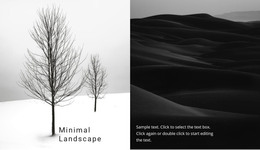
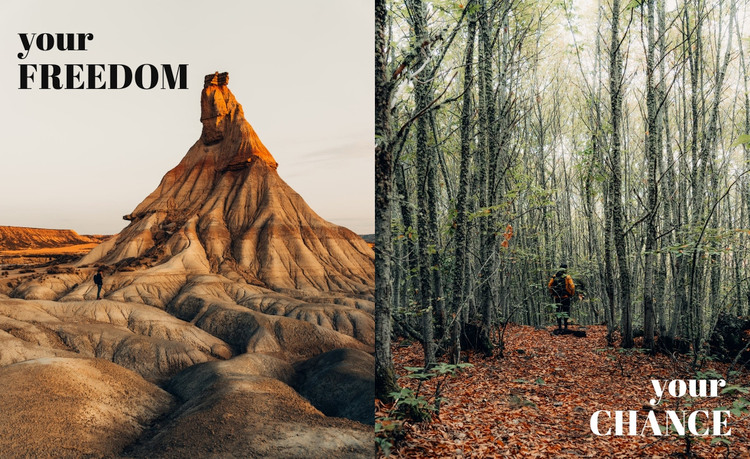
The desert rock landscape and wooded forest path give the section two distinct visual subjects, while the equal-width split keeps them balanced as one content area. “your FREEDOM” anchors the left panel and “your CHANCE” anchors the right, so the headings act as concise labels for two related visual messages rather than as a long text sequence. Their opposing positions add movement within the fixed layout, and the dark-versus-light treatments help each heading remain legible against its own image.
In a WordPress-managed page, this block can serve as permanent introductory content for a nature- or outdoor-focused section. Its content model is already concise and self-contained: two landscape panels, two prominent headings, and a full-width visual relationship that can sit beside other page sections. The surrounding project can provide navigation, detailed copy, calls to action, or additional content while this section retains its focused role. Because the interaction is static, both messages remain visible together and do not depend on a slider, carousel, or expandable control. This makes the block suitable for a stable page area that establishes visual direction before visitors continue to other WordPress-managed content.
Customize with Nicepage
Open this ready-made template in the WordPress Website Builder and customize it visually in the Nicepage editor. Replace demo content, edit page sections, and adapt the design to your project without rebuilding the template from scratch.
Edit Template Offline
2. Create a new page or select existing
3. Click Add new block, search for id 53565 and click enter
Edit Template Online
Create Awesome Websites


Free Nicepage Builder
Keywords
Manage and Edit This Theme in WordPress
Customize and Install the WordPress Theme
Start with this ready-made theme instead of building the WordPress design from scratch. Customize its layout, content, typography, images, sections, and other design elements visually in Nicepage editor, then export and install the WordPress Theme, Plugin, and Pages on your WordPress site. The Nicepage WordPress Plugin lets you continue working with the site after installation.
Edit the Theme Directly in WordPress
After installation, you can edit the WordPress Theme directly in WordPress with the Nicepage WordPress Plugin. Use Site Style to customize site Colors, Fonts, Header, Footer, Blog, and Post Page Templates while working within your WordPress website.
Edit WordPress Pages Visually
Use the Nicepage WordPress Plugin to edit page content directly from the WordPress admin area. Open a WordPress Page with Nicepage and visually change its text, images, sections, and other page elements while continuing to manage the Page through WordPress.
WordPress Content and Theme Integration
Use the customized theme with WordPress Pages, Posts, Blog and Post Templates, menus, widgets, and other CMS-managed content. Shared theme elements such as Colors, Fonts, Header, Footer, Blog, and Post Page Templates can be managed as part of the overall site design, while WordPress provides the CMS environment for managing site content.
This workflow combines a ready-made WordPress Theme with visual customization, direct theme editing in WordPress, and continued content management through the Nicepage WordPress Plugin.