Analytics matter WordPress Theme



Edit Template Offline
2. Create new page and search for id 4660741
Edit Template Online
Create Awesome Websites


Free Nicepage Builder
Keywords
Service and Team Content Ready for WordPress Page Management
The navigation and page-oriented sections divide this design into content that can be maintained separately while preserving one visual direction. The six service tiles provide the strongest starting point for permanent business content, with labels such as Website Design, Online Research, and Call service establishing distinct areas for descriptions or related pages. The four team profile cards offer another clear content group, combining portraits, roles, and social links rather than treating the team as incidental decoration.
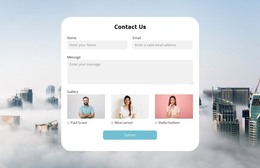
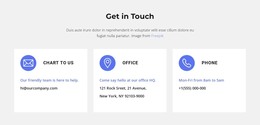
A WordPress project could also use the hero and promotional sections for stable page content, while the inquiry form remains a focused communication area requesting a name and email address. The three contact options—chat, office, and phone—add practical contact information around that form. Together, these parts create a relationship between service information, people, and response channels that is more useful than simply placing the design inside a CMS.
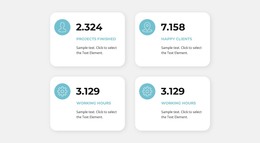
The three percentage cards can supply a visual location for project-specific evidence, but the displayed 50%, 36%, and 20% values are template content and should not be presented as verified achievements. Similarly, the design can accommodate revised text and images without changing its core character. In a WordPress theme context, the value lies in keeping these page sections visually coordinated as business content is updated, expanded, or connected to further site material.
Customize with Nicepage
Open this ready-made template in the WordPress Website Builder and customize it visually in the Nicepage editor. Replace demo content, edit page sections, and adapt the design to your project without rebuilding the template from scratch.
Manage and Edit This Theme in WordPress
Customize and Install the WordPress Theme
Start with this ready-made theme instead of building the WordPress design from scratch. Customize its layout, content, typography, images, sections, and other design elements visually in Nicepage editor, then export and install the WordPress Theme, Plugin, and Pages on your WordPress site. The Nicepage WordPress Plugin lets you continue working with the site after installation.
Edit the Theme Directly in WordPress
After installation, you can edit the WordPress Theme directly in WordPress with the Nicepage WordPress Plugin. Use Site Style to customize site Colors, Fonts, Header, Footer, Blog, and Post Page Templates while working within your WordPress website.
Edit WordPress Pages Visually
Use the Nicepage WordPress Plugin to edit page content directly from the WordPress admin area. Open a WordPress Page with Nicepage and visually change its text, images, sections, and other page elements while continuing to manage the Page through WordPress.
WordPress Content and Theme Integration
Use the customized theme with WordPress Pages, Posts, Blog and Post Templates, menus, widgets, and other CMS-managed content. Shared theme elements such as Colors, Fonts, Header, Footer, Blog, and Post Page Templates can be managed as part of the overall site design, while WordPress provides the CMS environment for managing site content.
This workflow combines a ready-made WordPress Theme with visual customization, direct theme editing in WordPress, and continued content management through the Nicepage WordPress Plugin.