
Picture and text in three columns WordPress Theme


Stable Explanatory Content Within a WordPress-Managed Page
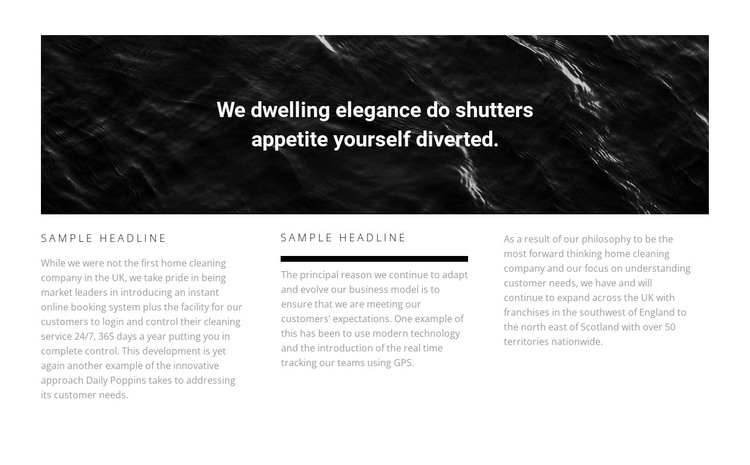
The centered banner statement and the three-column text row give this section the character of stable page content rather than a rotating or action-led component. In a WordPress-managed project, it can occupy an explanatory or company-information area while the wider site supplies its other pages, content regions, and navigation. The section’s role remains contained: it presents one organized body of information without becoming a complete theme or site structure.
The content pattern supports consistent page styling. The first two columns repeat the “Sample Headline” label, making them suitable for related information units, while the third relies on paragraph text without a visible heading. A thick horizontal rule beneath the middle heading creates a stronger local accent, and the muted gray text with generous spacing keeps the row visually separate from the darker image banner above. These relationships can help the section sit comfortably among other page content with different functions.
The block is static and has no visible call-to-action control, so its WordPress-oriented use is best understood as a publishable informational area. It can communicate supporting material on a stable page while a separate section handles inquiries, sign-ups, or another primary response when the surrounding project requires one.
Customize with Nicepage
Open this ready-made template in the WordPress Website Builder and customize it visually in the Nicepage editor. Replace demo content, edit page sections, and adapt the design to your project without rebuilding the template from scratch.
Edit Template Offline
2. Create a new page or select existing
3. Click Add new block, search for id 429699 and click enter
Edit Template Online
Create Awesome Websites


Free Nicepage Builder
Keywords
Manage and Edit This Theme in WordPress
Customize and Install the WordPress Theme
Start with this ready-made theme instead of building the WordPress design from scratch. Customize its layout, content, typography, images, sections, and other design elements visually in Nicepage editor, then export and install the WordPress Theme, Plugin, and Pages on your WordPress site. The Nicepage WordPress Plugin lets you continue working with the site after installation.
Edit the Theme Directly in WordPress
After installation, you can edit the WordPress Theme directly in WordPress with the Nicepage WordPress Plugin. Use Site Style to customize site Colors, Fonts, Header, Footer, Blog, and Post Page Templates while working within your WordPress website.
Edit WordPress Pages Visually
Use the Nicepage WordPress Plugin to edit page content directly from the WordPress admin area. Open a WordPress Page with Nicepage and visually change its text, images, sections, and other page elements while continuing to manage the Page through WordPress.
WordPress Content and Theme Integration
Use the customized theme with WordPress Pages, Posts, Blog and Post Templates, menus, widgets, and other CMS-managed content. Shared theme elements such as Colors, Fonts, Header, Footer, Blog, and Post Page Templates can be managed as part of the overall site design, while WordPress provides the CMS environment for managing site content.
This workflow combines a ready-made WordPress Theme with visual customization, direct theme editing in WordPress, and continued content management through the Nicepage WordPress Plugin.





























































