Text ad social icons WordPress Theme


Permanent Page Content With a Social Follow-Up
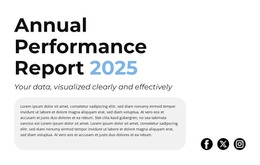
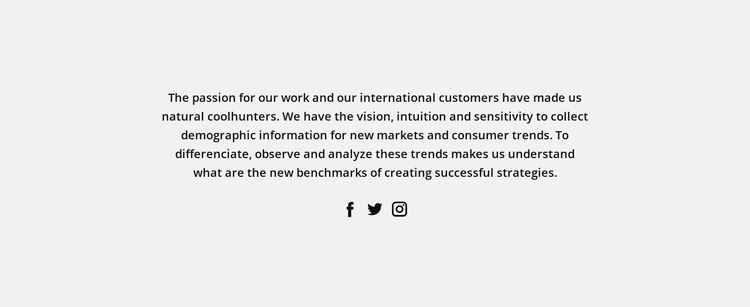
The paragraph reads as stable informational content rather than a temporary list of updates. It presents ideas about demographic information, consumer trends, and the strategy benchmarks that can be identified through observation and analysis. The centered placement and light gray background give this message a defined location on the page, while generous whitespace supports its longer format and separates it from surrounding content.
The social row adds a second, clearly bounded content function. Facebook, Twitter, and Instagram are represented by three evenly spaced circular icons beneath the paragraph, so the links act as a follow-up rather than interrupting the main reading path. In a WordPress-oriented project, this kind of section can remain part of stable page content while other areas of the site handle regularly updated posts, broader navigation, or additional editorial material.
The block’s value in a WordPress Theme context comes from preserving the relationship between its message and its visual treatment. The centered text region can carry an insight or positioning statement, and the social icons can connect that statement with wider audience channels. The light gray field, dark typography, and open spacing provide a repeatable presentation pattern, but they do not imply that CMS posts, categories, or other WordPress structures are contained in the section. Those belong to the surrounding managed site, while this block remains one publishable content area.
Customize with Nicepage
Open this ready-made template in the WordPress Website Builder and customize it visually in the Nicepage editor. Replace demo content, edit page sections, and adapt the design to your project without rebuilding the template from scratch.
Edit Template Offline
2. Create a new page or select existing
3. Click Add new block, search for id 41862 and click enter
Edit Template Online
Create Awesome Websites


Free Nicepage Builder
Keywords
Manage and Edit This Theme in WordPress
Customize and Install the WordPress Theme
Start with this ready-made theme instead of building the WordPress design from scratch. Customize its layout, content, typography, images, sections, and other design elements visually in Nicepage editor, then export and install the WordPress Theme, Plugin, and Pages on your WordPress site. The Nicepage WordPress Plugin lets you continue working with the site after installation.
Edit the Theme Directly in WordPress
After installation, you can edit the WordPress Theme directly in WordPress with the Nicepage WordPress Plugin. Use Site Style to customize site Colors, Fonts, Header, Footer, Blog, and Post Page Templates while working within your WordPress website.
Edit WordPress Pages Visually
Use the Nicepage WordPress Plugin to edit page content directly from the WordPress admin area. Open a WordPress Page with Nicepage and visually change its text, images, sections, and other page elements while continuing to manage the Page through WordPress.
WordPress Content and Theme Integration
Use the customized theme with WordPress Pages, Posts, Blog and Post Templates, menus, widgets, and other CMS-managed content. Shared theme elements such as Colors, Fonts, Header, Footer, Blog, and Post Page Templates can be managed as part of the overall site design, while WordPress provides the CMS environment for managing site content.
This workflow combines a ready-made WordPress Theme with visual customization, direct theme editing in WordPress, and continued content management through the Nicepage WordPress Plugin.