Create powerful goals WordPress Theme


A Focused Coaching Message for WordPress Page Content
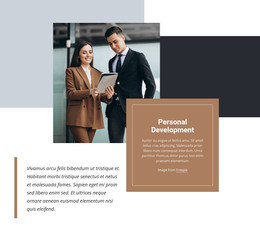
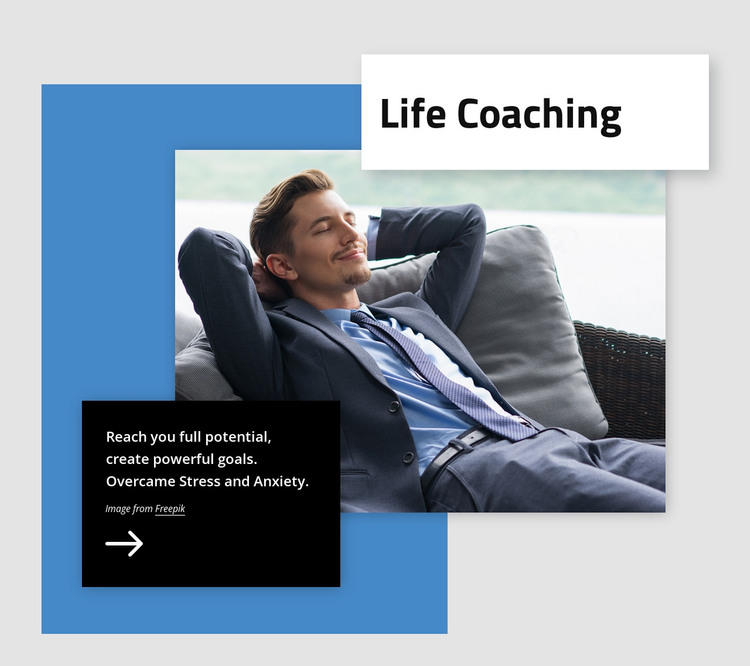
The block’s strongest content relationship is between the “Life Coaching” heading and the supporting statement beneath the visual composition. The white title card names the subject immediately, while the black panel expands it with language about reaching full potential, creating powerful goals, and overcoming stress and anxiety. One large photograph of a reclining person in business attire gives that message a human and professional visual context without adding multiple content items.
The blue rectangular backdrop holds the image within the section’s layered design, and the overlapping cards create a deliberate path from topic to explanation. Light gray space around the composition keeps the blue, white, black, and photographic areas distinct. Shadows and spacing reinforce the separation of the cards, while the static interaction keeps attention on the heading, statement, and image. The Freepik credit remains part of the content details rather than being treated as a separate page feature.
Within a WordPress-managed page, this block can provide stable introductory content for a coaching or personal-development presentation. Other page areas can handle deeper information, proof, or contact actions, while this section retains its defined visual and editorial role. Nicepage’s WordPress Theme and Pages workflow explains the broader CMS context in which designed page content can be used; it does not make this individual section a standalone WordPress Theme.
Customize with Nicepage
Open this ready-made template in the WordPress Website Builder and customize it visually in the Nicepage editor. Replace demo content, edit page sections, and adapt the design to your project without rebuilding the template from scratch.
Edit Template Offline
2. Create a new page or select existing
3. Click Add new block, search for id 404250 and click enter
Edit Template Online
Create Awesome Websites


Free Nicepage Builder
Keywords
Manage and Edit This Theme in WordPress
Customize and Install the WordPress Theme
Start with this ready-made theme instead of building the WordPress design from scratch. Customize its layout, content, typography, images, sections, and other design elements visually in Nicepage editor, then export and install the WordPress Theme, Plugin, and Pages on your WordPress site. The Nicepage WordPress Plugin lets you continue working with the site after installation.
Edit the Theme Directly in WordPress
After installation, you can edit the WordPress Theme directly in WordPress with the Nicepage WordPress Plugin. Use Site Style to customize site Colors, Fonts, Header, Footer, Blog, and Post Page Templates while working within your WordPress website.
Edit WordPress Pages Visually
Use the Nicepage WordPress Plugin to edit page content directly from the WordPress admin area. Open a WordPress Page with Nicepage and visually change its text, images, sections, and other page elements while continuing to manage the Page through WordPress.
WordPress Content and Theme Integration
Use the customized theme with WordPress Pages, Posts, Blog and Post Templates, menus, widgets, and other CMS-managed content. Shared theme elements such as Colors, Fonts, Header, Footer, Blog, and Post Page Templates can be managed as part of the overall site design, while WordPress provides the CMS environment for managing site content.
This workflow combines a ready-made WordPress Theme with visual customization, direct theme editing in WordPress, and continued content management through the Nicepage WordPress Plugin.