We are the trend WordPress Theme



Agency information becomes stable page content around a service grid
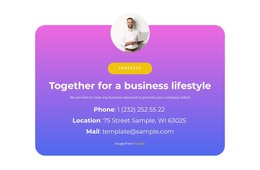
The left column presents the agency message as a compact content group: an About Us label leads into “We are a Web Design Agency,” followed by a circular portrait, attribution line, and Contact Us action. The right column supplies four related service entries—Cloud Solution, Speed Optimization, Online Marketing, and Website Design—in a two-by-two arrangement. Because each entry uses the same circular icon, title, and More link pattern, the service information can be read and maintained as a coherent set of page content.
For a WordPress-managed project, the section can fit naturally into a stable services or about area while the broader site handles other pages and regularly maintained content. The block’s role is visual and editorial rather than a standalone theme: it gives one page region a defined agency message, a compact offering summary, and a contact point. The large rounded gradient container creates the section boundary, with white typography and icon badges contrasting against the blue-to-pink background. The yellow rounded button distinguishes the contact action from the four informational service items, allowing the page content to guide visitors from agency context to available services and then toward contact without requiring the block to carry the entire site journey.
Customize with Nicepage
Open this ready-made template in the WordPress Website Builder and customize it visually in the Nicepage editor. Replace demo content, edit page sections, and adapt the design to your project without rebuilding the template from scratch.
Edit Template Offline
2. Create a new page or select existing
3. Click Add new block, search for id 3492904 and click enter
Edit Template Online
Create Awesome Websites


Free Nicepage Builder
Keywords
Manage and Edit This Theme in WordPress
Customize and Install the WordPress Theme
Start with this ready-made theme instead of building the WordPress design from scratch. Customize its layout, content, typography, images, sections, and other design elements visually in Nicepage editor, then export and install the WordPress Theme, Plugin, and Pages on your WordPress site. The Nicepage WordPress Plugin lets you continue working with the site after installation.
Edit the Theme Directly in WordPress
After installation, you can edit the WordPress Theme directly in WordPress with the Nicepage WordPress Plugin. Use Site Style to customize site Colors, Fonts, Header, Footer, Blog, and Post Page Templates while working within your WordPress website.
Edit WordPress Pages Visually
Use the Nicepage WordPress Plugin to edit page content directly from the WordPress admin area. Open a WordPress Page with Nicepage and visually change its text, images, sections, and other page elements while continuing to manage the Page through WordPress.
WordPress Content and Theme Integration
Use the customized theme with WordPress Pages, Posts, Blog and Post Templates, menus, widgets, and other CMS-managed content. Shared theme elements such as Colors, Fonts, Header, Footer, Blog, and Post Page Templates can be managed as part of the overall site design, while WordPress provides the CMS environment for managing site content.
This workflow combines a ready-made WordPress Theme with visual customization, direct theme editing in WordPress, and continued content management through the Nicepage WordPress Plugin.