Common insurance questions WordPress Theme


Stable FAQ Content for an Insurance Page
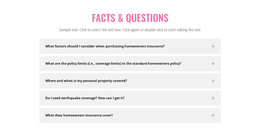
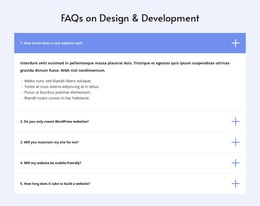
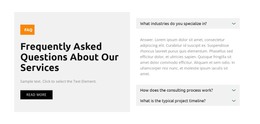
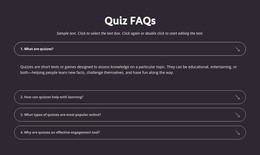
The heading and five questions form a durable informational section rather than a time-sensitive announcement. Visitors can review what to consider when purchasing homeowners insurance, how policy limits work, where personal property is covered, whether earthquake coverage is needed, and what a policy generally covers. The introductory paragraph frames these subjects, while the accordion interaction keeps the answer areas attached to their corresponding questions.
In a WordPress-managed site, this structure can serve as permanent content on an insurance or resource page while the surrounding project handles other page areas. The repeated rows make the section straightforward to recognize and maintain, and the plus icons preserve a consistent interaction cue across all five topics. Its compact presentation also allows more detailed answers to remain available without forcing the entire page to display a long uninterrupted block of text.
The visual treatment supports that page-content role. A pink centered heading identifies the subject, muted gray rows separate the questions, and the white background keeps the information area calm beside neighboring sections. The block can therefore retain its own prepared hierarchy and appearance while fitting into a broader WordPress-managed page. Any wider publishing or editorial structure belongs to the surrounding project; this section contributes a focused, reusable FAQ content area.
Customize with Nicepage
Open this ready-made template in the WordPress Website Builder and customize it visually in the Nicepage editor. Replace demo content, edit page sections, and adapt the design to your project without rebuilding the template from scratch.
Edit Template Offline
2. Create a new page or select existing
3. Click Add new block, search for id 334921 and click enter
Edit Template Online
Create Awesome Websites


Free Nicepage Builder
Keywords
Manage and Edit This Theme in WordPress
Customize and Install the WordPress Theme
Start with this ready-made theme instead of building the WordPress design from scratch. Customize its layout, content, typography, images, sections, and other design elements visually in Nicepage editor, then export and install the WordPress Theme, Plugin, and Pages on your WordPress site. The Nicepage WordPress Plugin lets you continue working with the site after installation.
Edit the Theme Directly in WordPress
After installation, you can edit the WordPress Theme directly in WordPress with the Nicepage WordPress Plugin. Use Site Style to customize site Colors, Fonts, Header, Footer, Blog, and Post Page Templates while working within your WordPress website.
Edit WordPress Pages Visually
Use the Nicepage WordPress Plugin to edit page content directly from the WordPress admin area. Open a WordPress Page with Nicepage and visually change its text, images, sections, and other page elements while continuing to manage the Page through WordPress.
WordPress Content and Theme Integration
Use the customized theme with WordPress Pages, Posts, Blog and Post Templates, menus, widgets, and other CMS-managed content. Shared theme elements such as Colors, Fonts, Header, Footer, Blog, and Post Page Templates can be managed as part of the overall site design, while WordPress provides the CMS environment for managing site content.
This workflow combines a ready-made WordPress Theme with visual customization, direct theme editing in WordPress, and continued content management through the Nicepage WordPress Plugin.