Get to know us closer WordPress Theme


Stable About Content With a Human Visual Anchor
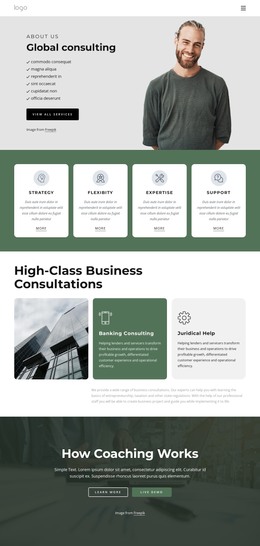
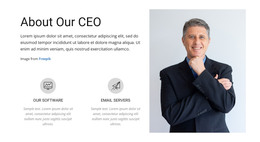
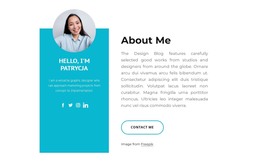
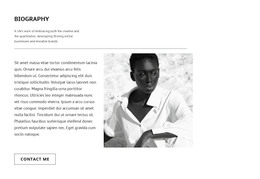
The heading “About us” gives the section a durable page-content role, while the statement about digital strategies, products, and services provides the central description. The supporting copy develops that message through strategy, creativity, design, and innovative technology, making the block suitable for an organization-introduction area that may remain relevant as the surrounding WordPress-managed content grows. The portrait on the right adds a human visual reference without turning the section into a team listing or testimonial group.
The internal layout reinforces this stable content role. A full-width title band separates the section label from the lower explanation, and the two-part lower region keeps the text readable beside one carefully placed image. The warm beige background and black serif typography give the content a consistent presentation that can sit among other page sections while remaining recognizable as an About area. Other managed content can surround it without changing the block’s own heading, descriptive message, or visual relationship.
Nicepage supports WordPress page workflows through the WordPress Theme, Plugin, and Pages workflow. In this context, that capability provides a possible CMS environment for the section; it does not change the block into a standalone theme. The reusable content area remains the organization introduction with its defined text-image structure.
Customize with Nicepage
Open this ready-made template in the WordPress Website Builder and customize it visually in the Nicepage editor. Replace demo content, edit page sections, and adapt the design to your project without rebuilding the template from scratch.
Edit Template Offline
2. Create a new page or select existing
3. Click Add new block, search for id 240114 and click enter
Edit Template Online
Create Awesome Websites


Free Nicepage Builder
Keywords
Manage and Edit This Theme in WordPress
Customize and Install the WordPress Theme
Start with this ready-made theme instead of building the WordPress design from scratch. Customize its layout, content, typography, images, sections, and other design elements visually in Nicepage editor, then export and install the WordPress Theme, Plugin, and Pages on your WordPress site. The Nicepage WordPress Plugin lets you continue working with the site after installation.
Edit the Theme Directly in WordPress
After installation, you can edit the WordPress Theme directly in WordPress with the Nicepage WordPress Plugin. Use Site Style to customize site Colors, Fonts, Header, Footer, Blog, and Post Page Templates while working within your WordPress website.
Edit WordPress Pages Visually
Use the Nicepage WordPress Plugin to edit page content directly from the WordPress admin area. Open a WordPress Page with Nicepage and visually change its text, images, sections, and other page elements while continuing to manage the Page through WordPress.
WordPress Content and Theme Integration
Use the customized theme with WordPress Pages, Posts, Blog and Post Templates, menus, widgets, and other CMS-managed content. Shared theme elements such as Colors, Fonts, Header, Footer, Blog, and Post Page Templates can be managed as part of the overall site design, while WordPress provides the CMS environment for managing site content.
This workflow combines a ready-made WordPress Theme with visual customization, direct theme editing in WordPress, and continued content management through the Nicepage WordPress Plugin.