Three company representatives WordPress Theme


Stable representative content fits a WordPress-managed page section
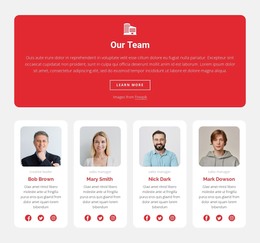
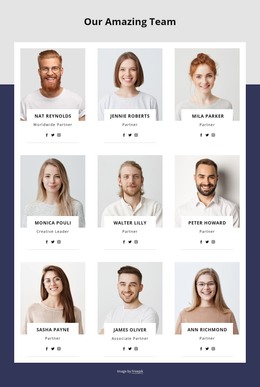
The repeated content is suited to a page-oriented interpretation because each row carries a complete representative profile pattern within the section. The circular portrait introduces the person visually, the social icons provide a compact connection point, and the right-side panel keeps the bold name-and-role line together with supporting description text. Across three rows, the same structure creates a stable team area that can remain visually consistent while the surrounding WordPress-managed page contains other kinds of content.
This arrangement is especially useful when representative information belongs with permanent page material rather than needing a changing feed or editorial sequence. The light-gray panels distinguish the written details from the white background, and the strong left-right alignment keeps each profile easy to scan. The static presentation also means the content is visible as one continuous section, without requiring visitors to operate a carousel or expand hidden panels. In a WordPress-oriented project, the section can therefore serve as a reusable page-content region inside a wider theme context. The broader site may handle navigation and other page functions separately, while this block preserves its focused role: presenting three people through consistent identity markers, role labels, social links, and supporting text.
Customize with Nicepage
Open this ready-made template in the WordPress Website Builder and customize it visually in the Nicepage editor. Replace demo content, edit page sections, and adapt the design to your project without rebuilding the template from scratch.
Edit Template Offline
2. Create a new page or select existing
3. Click Add new block, search for id 2283559 and click enter
Edit Template Online
Create Awesome Websites


Free Nicepage Builder
Keywords
Use This Block in a WordPress-Managed Website
Keep the Block as Page Content
Use the block as one content/layout section inside a WordPress-oriented site rather than treating the Block ID as a complete WordPress Theme. Its verified text, images, repeated items, forms, galleries, or other elements can remain part of permanent page content while WordPress manages the wider site.
Work With Nicepage and WordPress
A Nicepage WordPress project can be installed using the WordPress Theme, Plugin, and Pages workflow. After installation, the same visual section can participate in WordPress-managed pages as part of the broader theme/site structure.
Continue Editing in WordPress
Nicepage supports editing the WordPress Theme directly in WordPress. Use WordPress Pages, Posts, Blog structures, and other CMS concepts only when they are relevant to the surrounding project; their existence must not be inferred from the analyzed block alone.
This workflow keeps the block's verified section function separate from the WordPress theme architecture while allowing it to participate in a CMS-managed website.