Sales manager resume WordPress Theme


Stable profile content with a distinct visual region
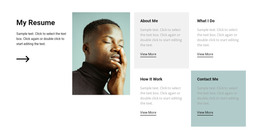
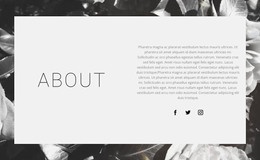
The block reads primarily as permanent profile content rather than a stream of dated entries. Its left region presents the heading “resume,” a thin horizontal divider, and one supporting paragraph, giving a WordPress-managed page a compact area for introducing a person. Because the copy is concentrated in one paragraph, the section can remain easy to revise while preserving its established visual order.
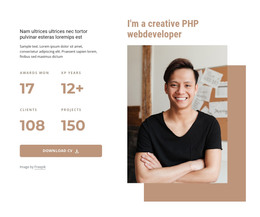
The right region contributes a different kind of content: one monochrome portrait inside a rectangular frame. The frame overlaps the light-gray background panel, creating a visible relationship between the image and the section surface. This treatment separates the portrait from the paragraph without isolating it from the profile message. The black, white, and gray palette and generous white space support a consistent page section that can sit alongside other permanent content.
In a WordPress-oriented project, the section can serve as stable content on an about, profile, or professional-services page while the wider site manages other pages and publishing needs. The WordPress Theme context concerns where this block participates, not a change to the block’s underlying structure. Nicepage’s WordPress workflows can support broader page editing, but the concrete contribution here remains a heading, summary, divider, and framed portrait arranged in two columns.
Customize with Nicepage
Open this ready-made template in the WordPress Website Builder and customize it visually in the Nicepage editor. Replace demo content, edit page sections, and adapt the design to your project without rebuilding the template from scratch.
Edit Template Offline
2. Create a new page or select existing
3. Click Add new block, search for id 220509 and click enter
Edit Template Online
Create Awesome Websites


Free Nicepage Builder
Keywords
Manage and Edit This Theme in WordPress
Customize and Install the WordPress Theme
Start with this ready-made theme instead of building the WordPress design from scratch. Customize its layout, content, typography, images, sections, and other design elements visually in Nicepage editor, then export and install the WordPress Theme, Plugin, and Pages on your WordPress site. The Nicepage WordPress Plugin lets you continue working with the site after installation.
Edit the Theme Directly in WordPress
After installation, you can edit the WordPress Theme directly in WordPress with the Nicepage WordPress Plugin. Use Site Style to customize site Colors, Fonts, Header, Footer, Blog, and Post Page Templates while working within your WordPress website.
Edit WordPress Pages Visually
Use the Nicepage WordPress Plugin to edit page content directly from the WordPress admin area. Open a WordPress Page with Nicepage and visually change its text, images, sections, and other page elements while continuing to manage the Page through WordPress.
WordPress Content and Theme Integration
Use the customized theme with WordPress Pages, Posts, Blog and Post Templates, menus, widgets, and other CMS-managed content. Shared theme elements such as Colors, Fonts, Header, Footer, Blog, and Post Page Templates can be managed as part of the overall site design, while WordPress provides the CMS environment for managing site content.
This workflow combines a ready-made WordPress Theme with visual customization, direct theme editing in WordPress, and continued content management through the Nicepage WordPress Plugin.