Award-winning creative branding agency WordPress Theme


Stable Agency Page Content in a Rounded Visual Region
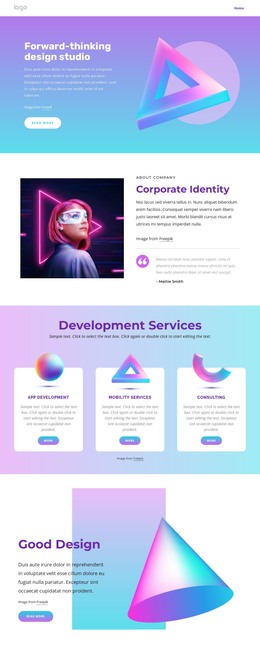
The “About Company” label and “Creative Agency” heading make the block read as stable introductory page content rather than a changing list of entries. The rounded “Contact Us” button adds a clear contact direction, while the pale panel keeps all three content elements together over the abstract full-width background. Colorful geometric strokes and shapes provide visual context, but the section’s message remains concentrated in the text group.
In a WordPress-managed site, this block can occupy a permanent agency or company page section while the wider project handles additional content around it. The opening identity statement can lead into service descriptions, project showcases, team information, or a separate contact region. Because the block already has a defined heading, supporting label, and action, it can retain its visual purpose even as surrounding page content is expanded or revised.
The visual treatment also gives the section a repeatable page-content pattern. The pink-red heading and rounded pink button can distinguish important agency information, while the pale panel creates separation from the illustrated background. Related WordPress-managed pages can echo those choices selectively to keep the project coherent. The block’s contribution is therefore an identifiable creative-agency introduction with a contact pathway, presented as one consistent content region within the broader site.
Customize with Nicepage
Open this ready-made template in the WordPress Website Builder and customize it visually in the Nicepage editor. Replace demo content, edit page sections, and adapt the design to your project without rebuilding the template from scratch.
Edit Template Offline
2. Create a new page or select existing
3. Click Add new block, search for id 2146541 and click enter
Edit Template Online
Create Awesome Websites


Free Nicepage Builder
Keywords
Use This Block in a WordPress-Managed Website
Keep the Block as Page Content
Use the block as one content/layout section inside a WordPress-oriented site rather than treating the Block ID as a complete WordPress Theme. Its verified text, images, repeated items, forms, galleries, or other elements can remain part of permanent page content while WordPress manages the wider site.
Work With Nicepage and WordPress
A Nicepage WordPress project can be installed using the WordPress Theme, Plugin, and Pages workflow. After installation, the same visual section can participate in WordPress-managed pages as part of the broader theme/site structure.
Continue Editing in WordPress
Nicepage supports editing the WordPress Theme directly in WordPress. Use WordPress Pages, Posts, Blog structures, and other CMS concepts only when they are relevant to the surrounding project; their existence must not be inferred from the analyzed block alone.
This workflow keeps the block's verified section function separate from the WordPress theme architecture while allowing it to participate in a CMS-managed website.