Classic pricing table WordPress Theme


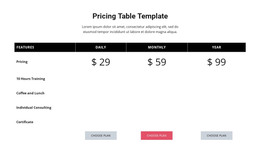
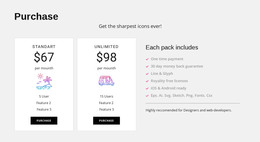
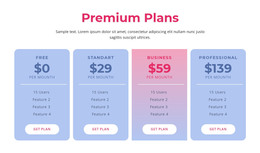
Comparable plan content fits a stable WordPress page region
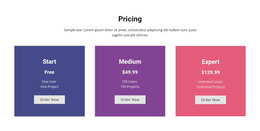
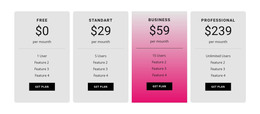
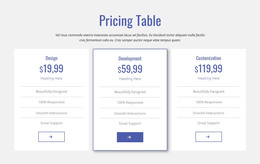
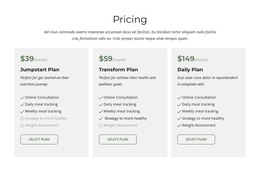
The three cards read as durable page content because they organize a defined set of plans rather than a sequence of time-based updates. Basic, Business, and Professional each present monthly billing information, a price, supporting description, and a purchase action. That repeated content model fits a WordPress-managed pricing area where the section can remain part of a services or product page while other site content develops around it.
The visual structure keeps the information coherent when placed within a wider page composition. Equal-width white cards give the plans comparable status, centered typography aligns the fields inside each card, and the stronger price hierarchy supports quick scanning. Rounded pink buttons identify the next action for each plan, while generous spacing prevents neighboring descriptions from visually merging. The dark blue-purple background acts as a contained field for the section and can help distinguish pricing content from surrounding page regions.
The sample prices and descriptions demonstrate how the cards are populated; they do not determine the final offer. The reusable value lies in the parallel plan structure and the direct relationship between each plan's information and its button. A WordPress-oriented project can place this section on a stable page alongside explanatory, testimonial, or contact content, preserving the block's focused comparison role while the wider site manages its own publishing and page structure.
Customize with Nicepage
Open this ready-made template in the WordPress Website Builder and customize it visually in the Nicepage editor. Replace demo content, edit page sections, and adapt the design to your project without rebuilding the template from scratch.
Edit Template Offline
2. Create a new page or select existing
3. Click Add new block, search for id 42403 and click enter
Edit Template Online
Create Awesome Websites


Free Nicepage Builder
Keywords
Manage and Edit This Theme in WordPress
Customize and Install the WordPress Theme
Start with this ready-made theme instead of building the WordPress design from scratch. Customize its layout, content, typography, images, sections, and other design elements visually in Nicepage editor, then export and install the WordPress Theme, Plugin, and Pages on your WordPress site. The Nicepage WordPress Plugin lets you continue working with the site after installation.
Edit the Theme Directly in WordPress
After installation, you can edit the WordPress Theme directly in WordPress with the Nicepage WordPress Plugin. Use Site Style to customize site Colors, Fonts, Header, Footer, Blog, and Post Page Templates while working within your WordPress website.
Edit WordPress Pages Visually
Use the Nicepage WordPress Plugin to edit page content directly from the WordPress admin area. Open a WordPress Page with Nicepage and visually change its text, images, sections, and other page elements while continuing to manage the Page through WordPress.
WordPress Content and Theme Integration
Use the customized theme with WordPress Pages, Posts, Blog and Post Templates, menus, widgets, and other CMS-managed content. Shared theme elements such as Colors, Fonts, Header, Footer, Blog, and Post Page Templates can be managed as part of the overall site design, while WordPress provides the CMS environment for managing site content.
This workflow combines a ready-made WordPress Theme with visual customization, direct theme editing in WordPress, and continued content management through the Nicepage WordPress Plugin.