Vitamin Juices WordPress Theme


Stable Fruit-Cocktail Content for a WordPress-Managed Page
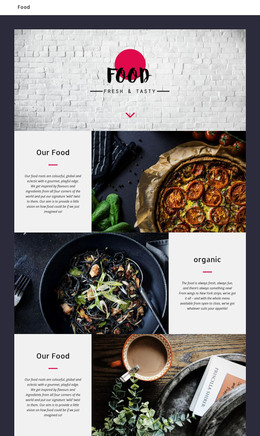
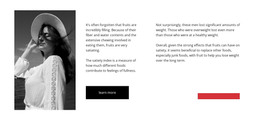
The left image and two text columns give this section a clear page-content role. A single large visual introduces the fruit-cocktail subject, the center column names it as “Easy Fruits Cocktails” and begins the explanation, and the right column extends that information before leading to the outlined “read more” button. The three-column composition keeps the image, primary description, secondary description, and follow-on action distinct without adding a complex interaction model.
For a WordPress-managed page, the block can hold stable food or recipe content within a broader site. It may introduce a fruit feature, provide context before a longer article, or present a short restaurant-related topic while other page areas handle navigation, detailed recipes, menus, or contact information. The section itself remains one reusable content area; its sample-style paragraphs should be replaced with the project’s final wording rather than treated as finished business claims.
The visual arrangement also gives the content a recognizable editorial character. Warm orange imagery supplies contrast against the white field, while the large black serif heading provides an immediate anchor for readers scanning the page. Generous spacing prevents the two paragraphs from collapsing into one dense text mass, and the rectangular outlined button marks the next reading step. That combination makes the section easy to retain as consistent page content while surrounding WordPress-managed material changes over time.
Customize with Nicepage
Open this ready-made template in the WordPress Website Builder and customize it visually in the Nicepage editor. Replace demo content, edit page sections, and adapt the design to your project without rebuilding the template from scratch.
Edit Template Offline
2. Create a new page or select existing
3. Click Add new block, search for id 180374 and click enter
Edit Template Online
Create Awesome Websites


Free Nicepage Builder
Keywords
Manage and Edit This Theme in WordPress
Customize and Install the WordPress Theme
Start with this ready-made theme instead of building the WordPress design from scratch. Customize its layout, content, typography, images, sections, and other design elements visually in Nicepage editor, then export and install the WordPress Theme, Plugin, and Pages on your WordPress site. The Nicepage WordPress Plugin lets you continue working with the site after installation.
Edit the Theme Directly in WordPress
After installation, you can edit the WordPress Theme directly in WordPress with the Nicepage WordPress Plugin. Use Site Style to customize site Colors, Fonts, Header, Footer, Blog, and Post Page Templates while working within your WordPress website.
Edit WordPress Pages Visually
Use the Nicepage WordPress Plugin to edit page content directly from the WordPress admin area. Open a WordPress Page with Nicepage and visually change its text, images, sections, and other page elements while continuing to manage the Page through WordPress.
WordPress Content and Theme Integration
Use the customized theme with WordPress Pages, Posts, Blog and Post Templates, menus, widgets, and other CMS-managed content. Shared theme elements such as Colors, Fonts, Header, Footer, Blog, and Post Page Templates can be managed as part of the overall site design, while WordPress provides the CMS environment for managing site content.
This workflow combines a ready-made WordPress Theme with visual customization, direct theme editing in WordPress, and continued content management through the Nicepage WordPress Plugin.