The leader's guide WordPress Theme



Editorial Culture Content Fits a Stable WordPress Page Area
The section reads as stable, publishable page content rather than a stream of time-sensitive updates. Its heading, “The Leader's Guide to Corporate Culture,” establishes a defined subject, and the opening prose develops strategy, culture, organizational viability, and effectiveness. A second prose area adds detail about collective action, decision making, rewards, consequences, and adaptive analysis. In a WordPress-managed page, this arrangement can provide a durable culture, leadership, or organizational strategy area while other content regions serve different purposes.
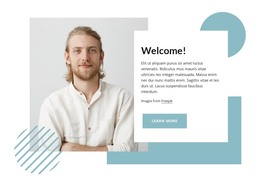
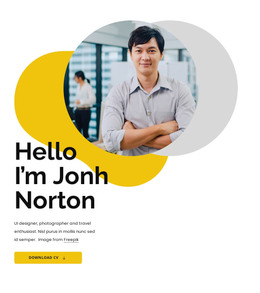
The visual pattern supports that role without depending on a particular CMS component. Two photographs are placed at staggered heights across the left and right columns, with pale blue rectangular accents behind the imagery and a matching compact learn more action. The serif heading and smaller dark copy create an editorial hierarchy that can remain recognizable when the surrounding page changes. An image credit line keeps attribution within the section's content model. The block can therefore participate as one reusable page section inside a broader WordPress site, where surrounding pages, navigation, and other content are managed separately. It does not need to become a complete theme or site to provide a coherent, maintainable area for this particular subject.
Customize with Nicepage
Open this ready-made template in the WordPress Website Builder and customize it visually in the Nicepage editor. Replace demo content, edit page sections, and adapt the design to your project without rebuilding the template from scratch.
Edit Template Offline
2. Create a new page or select existing
3. Click Add new block, search for id 148882 and click enter
Edit Template Online
Create Awesome Websites


Free Nicepage Builder
Keywords
Manage and Edit This Theme in WordPress
Customize and Install the WordPress Theme
Start with this ready-made theme instead of building the WordPress design from scratch. Customize its layout, content, typography, images, sections, and other design elements visually in Nicepage editor, then export and install the WordPress Theme, Plugin, and Pages on your WordPress site. The Nicepage WordPress Plugin lets you continue working with the site after installation.
Edit the Theme Directly in WordPress
After installation, you can edit the WordPress Theme directly in WordPress with the Nicepage WordPress Plugin. Use Site Style to customize site Colors, Fonts, Header, Footer, Blog, and Post Page Templates while working within your WordPress website.
Edit WordPress Pages Visually
Use the Nicepage WordPress Plugin to edit page content directly from the WordPress admin area. Open a WordPress Page with Nicepage and visually change its text, images, sections, and other page elements while continuing to manage the Page through WordPress.
WordPress Content and Theme Integration
Use the customized theme with WordPress Pages, Posts, Blog and Post Templates, menus, widgets, and other CMS-managed content. Shared theme elements such as Colors, Fonts, Header, Footer, Blog, and Post Page Templates can be managed as part of the overall site design, while WordPress provides the CMS environment for managing site content.
This workflow combines a ready-made WordPress Theme with visual customization, direct theme editing in WordPress, and continued content management through the Nicepage WordPress Plugin.