About our designer WordPress Theme


A personal profile section suited to stable WordPress page content
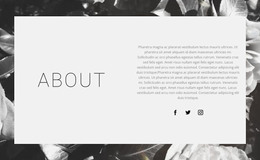
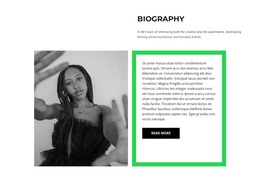
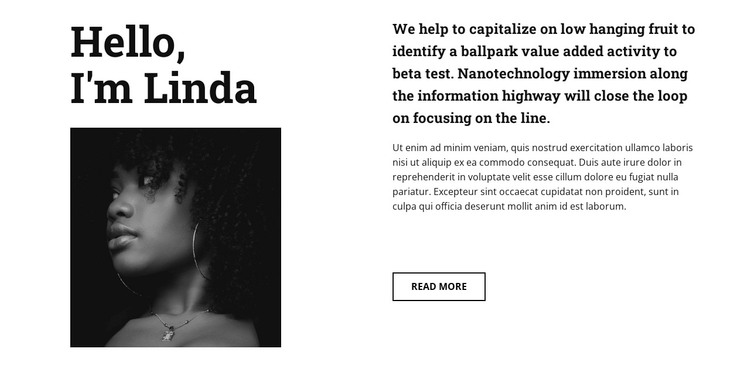
The portrait-led left column gives the section a clear personal focus: the heading identifies the subject, and the black-and-white image reinforces that introduction visually. The right column then carries the explanatory role through two paragraphs and an outlined Read more button. This division suits content that is meant to remain recognizable and readable as part of a permanent About or profile area, rather than behaving like a changing list of posts.
For a WordPress-oriented project, the block can participate as a reusable section on a page about a designer, artist, or creative practice. The sample text can be replaced with a biography or introduction while preserving the established relationship between the heading, portrait, supporting copy, and continuation action. Its monochrome photography and bold serif type also give the content a distinct visual pattern that can sit within a wider theme without requiring the entire site to duplicate the same arrangement.
The Read more button can lead visitors toward fuller profile information or related work elsewhere in the surrounding project. The section itself remains a focused content area, while other WordPress-managed pages or sections can provide portfolio pieces, services, articles, or contact information. That separation lets the block retain its personal introduction role without being mistaken for a complete theme or website.
Customize with Nicepage
Open this ready-made template in the WordPress Website Builder and customize it visually in the Nicepage editor. Replace demo content, edit page sections, and adapt the design to your project without rebuilding the template from scratch.
Edit Template Offline
2. Create a new page or select existing
3. Click Add new block, search for id 112431 and click enter
Edit Template Online
Create Awesome Websites


Free Nicepage Builder
Keywords
Manage and Edit This Theme in WordPress
Customize and Install the WordPress Theme
Start with this ready-made theme instead of building the WordPress design from scratch. Customize its layout, content, typography, images, sections, and other design elements visually in Nicepage editor, then export and install the WordPress Theme, Plugin, and Pages on your WordPress site. The Nicepage WordPress Plugin lets you continue working with the site after installation.
Edit the Theme Directly in WordPress
After installation, you can edit the WordPress Theme directly in WordPress with the Nicepage WordPress Plugin. Use Site Style to customize site Colors, Fonts, Header, Footer, Blog, and Post Page Templates while working within your WordPress website.
Edit WordPress Pages Visually
Use the Nicepage WordPress Plugin to edit page content directly from the WordPress admin area. Open a WordPress Page with Nicepage and visually change its text, images, sections, and other page elements while continuing to manage the Page through WordPress.
WordPress Content and Theme Integration
Use the customized theme with WordPress Pages, Posts, Blog and Post Templates, menus, widgets, and other CMS-managed content. Shared theme elements such as Colors, Fonts, Header, Footer, Blog, and Post Page Templates can be managed as part of the overall site design, while WordPress provides the CMS environment for managing site content.
This workflow combines a ready-made WordPress Theme with visual customization, direct theme editing in WordPress, and continued content management through the Nicepage WordPress Plugin.