Juicy recipes Template


A Compact Healthy-Lifestyle Introduction With Strong Contrast
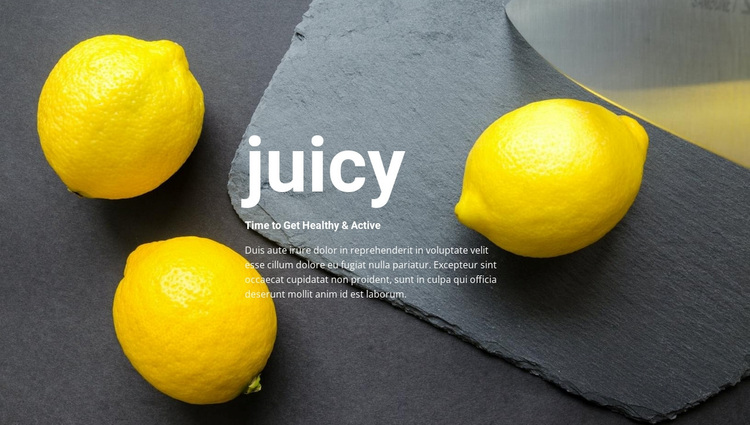
The block combines a short “juicy” heading, the more descriptive “Time to Get Healthy & Active” subheading, and one supporting paragraph in a single centered composition. Instead of presenting several recipe cards or a dense collection of food images, it uses one wide photograph as the visual foundation. Three yellow lemons stand out against the dark slate surface, giving the section an immediate food-and-freshness association without requiring several separate content objects.
That combination makes this design worth considering when a page needs an opening statement with a clear image focus and limited text density. The white copy is easy to distinguish from the darker background, and the generous negative space keeps attention around the central message. Since the block is static, its character comes from the relationship between the centered hierarchy, the bright fruit, and the restrained background rather than from motion or interaction. It can introduce a juice, food, or healthy-lifestyle subject before more detailed sections explain recipes, ingredients, products, or related information. The value of the design is therefore its concise coverage: one recognizable theme, one supporting image treatment, and one readable message arranged as a unified section.
Customize with Nicepage
Open this ready-made template in the Template Builder and customize it visually in the Nicepage editor. Replace demo content, edit page sections, and adapt the design to your project without rebuilding the template from scratch.
Edit Template Offline
2. Create a new page or select existing
3. Click Add new block, search for id 664289 and click enter
Edit Template Online
Create Awesome Websites


Free Nicepage Builder
Keywords
Start With a Ready-Made Template
Choose a Design for a New Page
Use a ready-made template as a starting point instead of creating every page from a blank canvas. When adding a new page in Nicepage, browse available designs, compare different layouts, and choose an option that already fits the general purpose and visual direction of your project.
Browse Different Page Designs
Explore Page Designs using search, thematic categories, Design Sets, and full-page previews. The collection includes layouts for different subjects and page purposes, making it easier to compare alternatives before selecting a design to customize.
Customize the Selected Template
After choosing a design, create the page and continue editing it visually in Nicepage. Replace the demo content, adjust images, typography, colors, sections, and other elements, and adapt the ready-made layout to your own content instead of rebuilding the design from the beginning.
Explore More Design Directions
If the first option does not match your project closely enough, return to the design collection and compare other templates before committing to a layout. This makes the template library useful not only for faster page creation, but also for exploring different visual approaches and finding a suitable starting point for a new project.
This workflow gives you access to a broad collection of ready-made designs that can be selected, compared, and customized according to the needs of each new page or project.