Electric Cars Redefine Driving Template


A Charging Hero That Balances Message and Contact
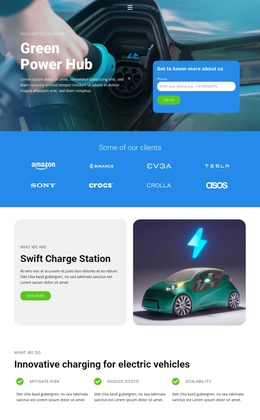
The block stands out through the way it combines visual evidence, a concise topic statement, and a response area in one composition. A full-width photograph shows an electric vehicle charging connection, while the darkened treatment creates a stage for the white “Innovative charging” label, “Green Power Hub” heading, and supporting paragraph. This gives the section more visual presence than a plain text introduction and keeps the subject immediately apparent.
Its second distinguishing feature is the right-side contact panel. The bright blue rounded surface creates a strong counterpoint to the darker image and left text column. Inside it, the phone-number request and green “Call me” action provide a concrete way for a visitor to respond to the charging message. The panel is prominent without replacing the hero’s introductory role, because the left side still carries the main topic and visual context.
Among ready-made block alternatives, this design is a useful choice when a page needs an electric vehicle charging introduction with contact capture already integrated into the section’s visual logic. It suits a composition that must move from topic recognition to an initial phone inquiry without adding a separate form block immediately beside the hero. The surrounding page can still supply detailed content and other functions, while this section remains a focused, reusable design option.
Customize with Nicepage
Open this ready-made template in the Template Builder and customize it visually in the Nicepage editor. Replace demo content, edit page sections, and adapt the design to your project without rebuilding the template from scratch.
Edit Template Offline
2. Create a new page or select existing
3. Click Add new block, search for id 6406987 and click enter
Edit Template Online
Create Awesome Websites


Free Nicepage Builder
Keywords
Start With a Ready-Made Block Design
Choose a Section Instead of Building From Scratch
Use a ready-made block as a starting point when a page needs a particular content function or visual arrangement. Nicepage Block Designs provide section-level options for introductions, services, galleries, testimonials, contact forms, pricing, text layouts, and other common page needs.
Compare Different Layout Directions
Blocks with the same function can still differ in image emphasis, number of items, column structure, typography, spacing, card treatment, interaction, and overall visual weight. Compare those concrete characteristics before choosing the section that best matches the surrounding page.
Customize the Selected Block
After adding a block, replace demo content, adjust images and text, refine colors and typography, and adapt individual elements while preserving the section's useful structure. If another design fits the content better, return to the Block Designs collection and compare alternatives rather than forcing one section to solve a different function.
This workflow makes a Block ID a ready-made section choice: one reusable design option that can be selected and customized as part of a larger page.