Trained professional cook Template


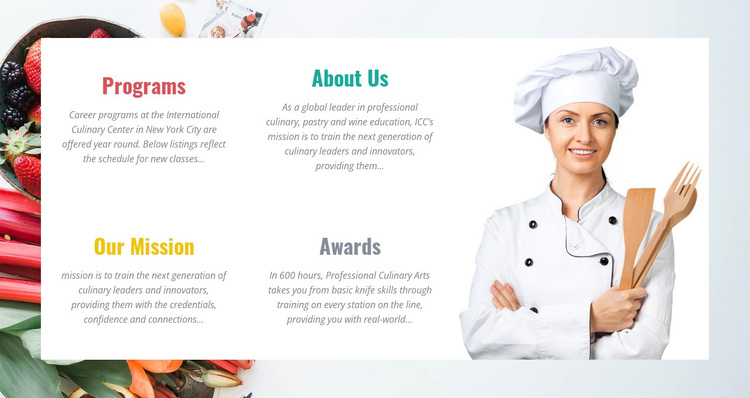
Four Culinary Topics Form a Distinctive About Layout
The strongest reason to choose this block is the way it turns several organization-focused topics into one compact visual composition. Programs, About Us, Our Mission, and Awards are not merged into a long paragraph; they are separated into four titled panels arranged in two rows. That structure gives each subject a clear entry point while keeping the section unified as an about area.
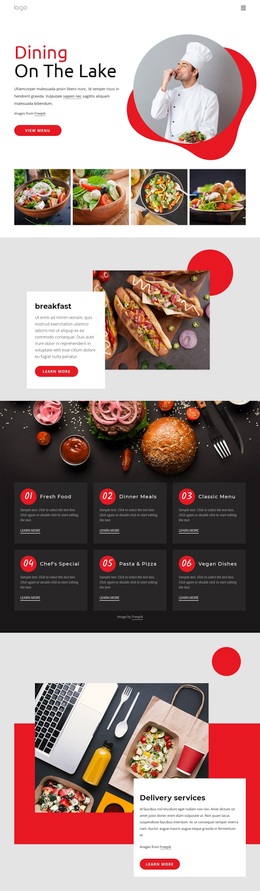
The large chef portrait adds a human and occupational focus on the right, and the surrounding food imagery extends the culinary theme beyond the text itself. A white content panel keeps the four descriptions readable against that photographic setting. Distinct accent colors on the headings help differentiate the panels, while bold condensed typography gives the section a stronger visual signature than a standard centered text block. The result is an information design that can introduce an educational organization without depending on a large list of separate cards.
This option is especially suited to content that needs both institutional explanation and a visible culinary reference. The Programs panel can address year-round career offerings, About Us can describe professional culinary, pastry, and wine education, and the remaining panels can carry mission and awards information. The design therefore covers several related introduction needs while preserving a clear image-to-text relationship. It is a specific section choice for projects seeking compact coverage with editorial imagery, rather than a generic solution for every page.
Customize with Nicepage
Open this ready-made template in the Template Builder and customize it visually in the Nicepage editor. Replace demo content, edit page sections, and adapt the design to your project without rebuilding the template from scratch.
Edit Template Offline
2. Create a new page or select existing
3. Click Add new block, search for id 62391 and click enter
Edit Template Online
Create Awesome Websites


Free Nicepage Builder
Keywords
Start With a Ready-Made Template
Choose a Design for a New Page
Use a ready-made template as a starting point instead of creating every page from a blank canvas. When adding a new page in Nicepage, browse available designs, compare different layouts, and choose an option that already fits the general purpose and visual direction of your project.
Browse Different Page Designs
Explore Page Designs using search, thematic categories, Design Sets, and full-page previews. The collection includes layouts for different subjects and page purposes, making it easier to compare alternatives before selecting a design to customize.
Customize the Selected Template
After choosing a design, create the page and continue editing it visually in Nicepage. Replace the demo content, adjust images, typography, colors, sections, and other elements, and adapt the ready-made layout to your own content instead of rebuilding the design from the beginning.
Explore More Design Directions
If the first option does not match your project closely enough, return to the design collection and compare other templates before committing to a layout. This makes the template library useful not only for faster page creation, but also for exploring different visual approaches and finding a suitable starting point for a new project.
This workflow gives you access to a broad collection of ready-made designs that can be selected, compared, and customized according to the needs of each new page or project.