Human design with digital technology Template


A Layered Mission Layout Balances Message and Human Context
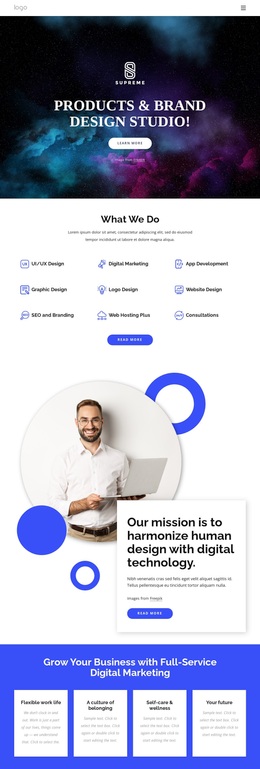
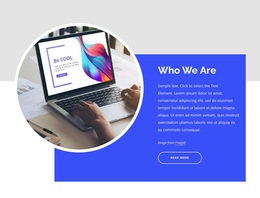
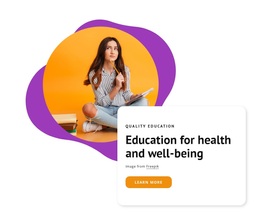
The block makes its design choice through a specific combination: one direct mission heading, a concise supporting paragraph, a “Read more” action, and a circular portrait linked by deliberate overlap. Instead of placing the image and copy in separate rectangular columns, the white text card crosses into the lower-left area of the portrait. That relationship gives the mission statement visual presence while keeping its reading surface controlled.
The portrait of a person holding a laptop adds human context to the digital technology theme. Around it, cobalt-blue circles and outlined rings repeat the circular image language and create a distinctive frame against the white background. The bold black heading, smaller paragraph, soft card shadow, and blue rounded button establish clear levels of attention. Generous whitespace prevents the geometric accents from making the section feel crowded.
This makes the block a useful choice when a page needs an about or mission area that communicates an idea through both content and composition. It suits a project seeking a human-centered technology direction without relying on a large grid of cards or a purely decorative hero image. The section remains one ready-made design option: its strongest advantage is the balance between an editorial-style message card, a personal portrait, and structured geometric detail.
Customize with Nicepage
Open this ready-made template in the Template Builder and customize it visually in the Nicepage editor. Replace demo content, edit page sections, and adapt the design to your project without rebuilding the template from scratch.
Edit Template Offline
2. Create a new page or select existing
3. Click Add new block, search for id 6043682 and click enter
Edit Template Online
Create Awesome Websites


Free Nicepage Builder
Keywords
Start With a Ready-Made Block Design
Choose a Section Instead of Building From Scratch
Use a ready-made block as a starting point when a page needs a particular content function or visual arrangement. Nicepage Block Designs provide section-level options for introductions, services, galleries, testimonials, contact forms, pricing, text layouts, and other common page needs.
Compare Different Layout Directions
Blocks with the same function can still differ in image emphasis, number of items, column structure, typography, spacing, card treatment, interaction, and overall visual weight. Compare those concrete characteristics before choosing the section that best matches the surrounding page.
Customize the Selected Block
After adding a block, replace demo content, adjust images and text, refine colors and typography, and adapt individual elements while preserving the section's useful structure. If another design fits the content better, return to the Block Designs collection and compare alternatives rather than forcing one section to solve a different function.
This workflow makes a Block ID a ready-made section choice: one reusable design option that can be selected and customized as part of a larger page.