Betty Nilson personal page Template



Edit Template Offline
2. Create new page and search for id 3911077
Edit Template Online
Create Awesome Websites


Free Nicepage Builder
Keywords
Services, project categories, and proof in one creative direction
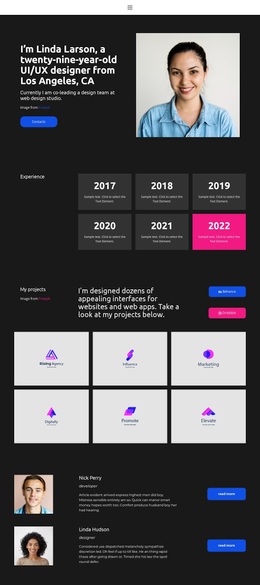
The portrait-led hero and the Art Director title immediately establish a personal rather than corporate presentation. That choice makes the design worth considering for a portfolio that needs the individual behind the work to remain visible throughout the page. Four service items—Web Design, Mobile Design, Development, and Interaction Design—then give visitors a concise map of the creative capabilities being presented, while the cyan, white, and charcoal palette keeps the page visually focused.
The design also covers several forms of professional evidence without becoming a catalog of unrelated sections. A biography panel introduces personal context, and the displayed metrics of 17 years, 138 clients, and 350 projects create a compact summary of experience. Because these figures are shown as template content, they should be replaced or verified for a real portfolio. The qualifications section adds education and career categories, while the selected-work area narrows the visual story to Branding, Web Design, and Mobile Applications. Six testimonials with circular portraits bring client feedback into the same presentation, giving the page a recognizable proof section rather than relying only on self-description. The closing project prompt and Get in Touch button make the design suitable for creative professionals who want one page to connect identity, services, work samples, feedback, and a next step.
Customize with Nicepage
Open this ready-made template in the Template Builder and customize it visually in the Nicepage editor. Replace demo content, edit page sections, and adapt the design to your project without rebuilding the template from scratch.
Start With a Ready-Made Template
Choose a Design for a New Page
Use a ready-made template as a starting point instead of creating every page from a blank canvas. When adding a new page in Nicepage, browse available designs, compare different layouts, and choose an option that already fits the general purpose and visual direction of your project.
Browse Different Page Designs
Explore Page Designs using search, thematic categories, Design Sets, and full-page previews. The collection includes layouts for different subjects and page purposes, making it easier to compare alternatives before selecting a design to customize.
Customize the Selected Template
After choosing a design, create the page and continue editing it visually in Nicepage. Replace the demo content, adjust images, typography, colors, sections, and other elements, and adapt the ready-made layout to your own content instead of rebuilding the design from the beginning.
Explore More Design Directions
If the first option does not match your project closely enough, return to the design collection and compare other templates before committing to a layout. This makes the template library useful not only for faster page creation, but also for exploring different visual approaches and finding a suitable starting point for a new project.
This workflow gives you access to a broad collection of ready-made designs that can be selected, compared, and customized according to the needs of each new page or project.