Architects design group Template



Edit Template Offline
2. Create new page and search for id 390180
Edit Template Online
Create Awesome Websites


Free Nicepage Builder
Keywords
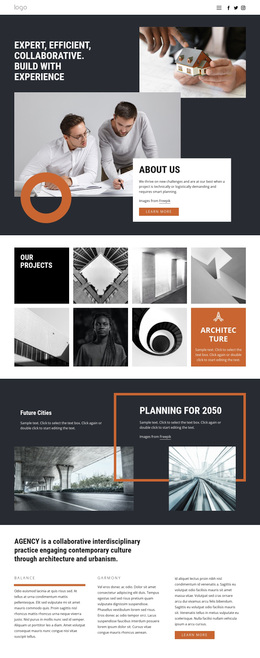
A seven-image portfolio connects practice, place, and people
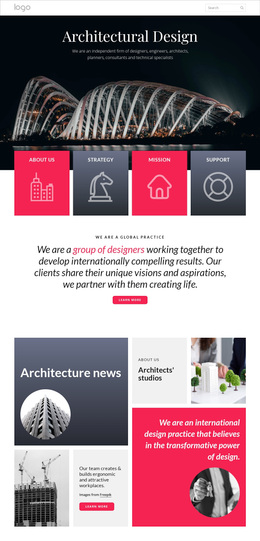
The seven-image Our Projects mosaic is the clearest reason to consider this design: it makes architectural work the visual center of the page without surrounding it with excessive explanation. The dark title tile and orange category tile give the collection editorial framing, while the compact image arrangement supports a practice whose projects need to be seen as a group. This makes the layout a useful option for projects where visual evidence should lead the introduction.
The design also covers more than a portfolio. Planning for 2050 and Future Cities add a forward-looking urbanism theme through paired large images and text panels. Three aligned editorial columns then create space for practice principles, while the About Us section and six informational cards explain the team and reference London, Hong Kong, and Sydney. The combination gives the page a broader narrative than a gallery-only presentation: work, ideas, practice character, and location all have a defined place.
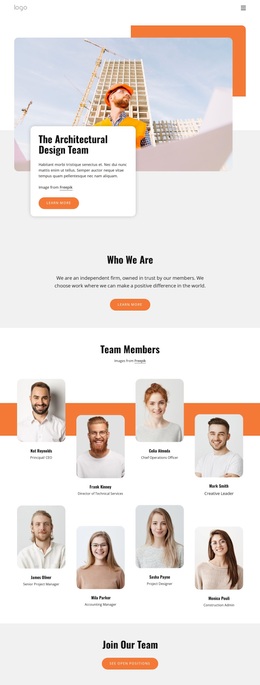
The closing sequence adds practical completeness. Team photography and social links make the practice more identifiable, and the final contact section places interior imagery beside a form requesting a name, email address, and message. The charcoal, white, and orange system ties these different content types together, making the design especially suitable for an architecture group that wants a visually led introduction with a clear route to prospective client inquiries.
Customize with Nicepage
Open this ready-made template in the Template Builder and customize it visually in the Nicepage editor. Replace demo content, edit page sections, and adapt the design to your project without rebuilding the template from scratch.
Start With a Ready-Made Template
Choose a Design for a New Page
Use a ready-made template as a starting point instead of creating every page from a blank canvas. When adding a new page in Nicepage, browse available designs, compare different layouts, and choose an option that already fits the general purpose and visual direction of your project.
Browse Different Page Designs
Explore Page Designs using search, thematic categories, Design Sets, and full-page previews. The collection includes layouts for different subjects and page purposes, making it easier to compare alternatives before selecting a design to customize.
Customize the Selected Template
After choosing a design, create the page and continue editing it visually in Nicepage. Replace the demo content, adjust images, typography, colors, sections, and other elements, and adapt the ready-made layout to your own content instead of rebuilding the design from the beginning.
Explore More Design Directions
If the first option does not match your project closely enough, return to the design collection and compare other templates before committing to a layout. This makes the template library useful not only for faster page creation, but also for exploring different visual approaches and finding a suitable starting point for a new project.
This workflow gives you access to a broad collection of ready-made designs that can be selected, compared, and customized according to the needs of each new page or project.