Voices of Our Alumni Website Template


A Reusable Alumni Information Section With a Defined Content Pattern
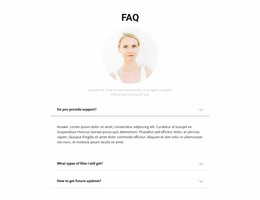
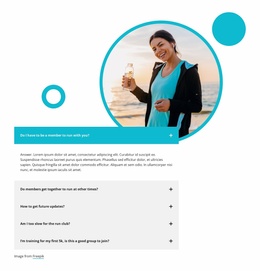
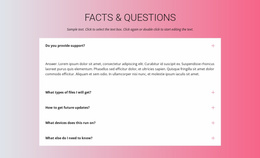
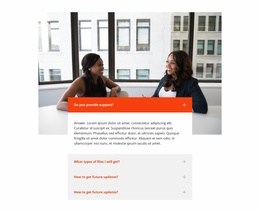
The block establishes one recurring website content area: an alumni FAQ introduced by the heading “From Campus to Career.” Three questions organize the information around network membership, alumni events, and giving back to the university. Because each question has an expandable answer, the section can carry several related explanations while preserving a manageable vertical footprint. The first open item demonstrates the interaction, while the two collapsed rows show how additional topics remain available without competing for equal space.
Its split structure also makes the block easy to coordinate with other sections in a broader website project. The rounded FAQ panel gives the informational content a contained left-side region, and the student portrait beside stacked books supplies a separate education-related visual anchor on the right. That relationship can sit alongside other alumni, program, event, or contact content without requiring this section to perform every site function. The repeated rounded treatment, neutral background, dark heading, and outlined question rows provide a recognizable pattern that can be reused when similar informational areas are needed. In a Website Template context, the block therefore contributes a stable FAQ module with its own content purpose and visual logic, while neighboring pages and sections provide the broader project structure.
Customize with Nicepage
Open this ready-made template in the Website Template Builder and customize it visually in the Nicepage editor. Replace demo content, edit page sections, and adapt the design to your project without rebuilding the template from scratch.
Edit Template Offline
2. Create a new page or select existing
3. Click Add new block, search for id 6557841 and click enter
Edit Template Online
Create Awesome Websites


Free Nicepage Builder
Keywords
Use This Block in a Broader Website Template Project
Treat the Block as One Reusable Site Section
A website project is assembled from multiple pages and sections. The analyzed block provides one reusable content area—such as services, About, testimonials, pricing, gallery, team, or contact—while the rest of the site supplies other page-level functions.
Coordinate the Section With Other Pages
Use the Pages panel to manage the pages of the broader project. The block can remain one consistent section pattern while related pages add deeper information or different content without implying that the Block ID itself contains those pages.
Expand With Matching Designs
When additional pages or sections are needed, Page Design Sets can help locate matching Page and Block Designs. This can extend the visual direction around the existing block while keeping the site's other content areas separate.
This workflow treats the block as a reusable building unit inside a larger Website Template project, not as a complete website foundation on its own.