Welcome to interior design studio Website Template


A Reusable About Section for an Interior Design Website Project
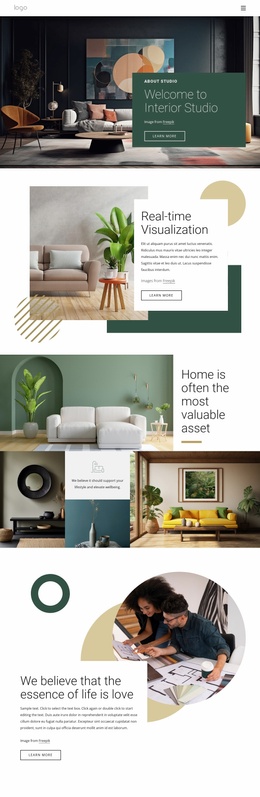
The block establishes one clearly bounded website content area: an introduction to an interior design studio. Its “About studio” label and “Welcome to Interior Studio” heading define the subject, while the single outlined “learn more” button offers a route toward deeper information elsewhere in the project. The content is gathered in one muted green rectangular card positioned toward the right over a full-width room photograph, so the section has a stable visual and informational pattern.
That pattern can coordinate naturally with other website sections. The photograph supplies interior atmosphere, the card carries the studio message, and the left-aligned hierarchy keeps the section readable without requiring a dense service list or project grid. The attribution line remains within the same group, while the dark image and warm furnishings give the section a visual cue that related blocks can echo through imagery or color without duplicating its exact arrangement.
Within a broader Website Template project, this block can serve as the about or studio-introduction area while other pages and sections handle portfolio work, services, testimonials, or contact details. It should be understood as one reusable building unit, not as the complete project itself. Nicepage’s Pages panel and related design resources can support the surrounding multi-section work, but the value of this particular block lies in its focused content role and its consistent image-over-card composition.
Customize with Nicepage
Open this ready-made template in the Website Template Builder and customize it visually in the Nicepage editor. Replace demo content, edit page sections, and adapt the design to your project without rebuilding the template from scratch.
Edit Template Offline
2. Create a new page or select existing
3. Click Add new block, search for id 6054719 and click enter
Edit Template Online
Create Awesome Websites


Free Nicepage Builder
Keywords
Use This Block in a Broader Website Template Project
Treat the Block as One Reusable Site Section
A website project is assembled from multiple pages and sections. The analyzed block provides one reusable content area—such as services, About, testimonials, pricing, gallery, team, or contact—while the rest of the site supplies other page-level functions.
Coordinate the Section With Other Pages
Use the Pages panel to manage the pages of the broader project. The block can remain one consistent section pattern while related pages add deeper information or different content without implying that the Block ID itself contains those pages.
Expand With Matching Designs
When additional pages or sections are needed, Page Design Sets can help locate matching Page and Block Designs. This can extend the visual direction around the existing block while keeping the site's other content areas separate.
This workflow treats the block as a reusable building unit inside a larger Website Template project, not as a complete website foundation on its own.