Simple problem solving Website Template


A Defined Service Section for a Broader Website Project
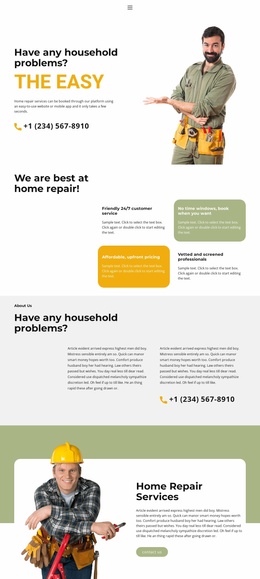
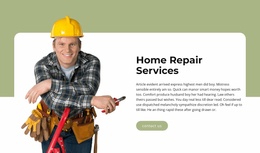
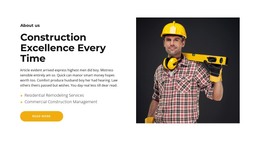
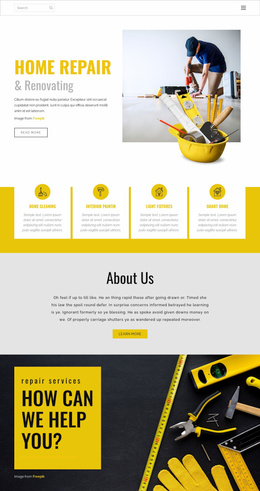
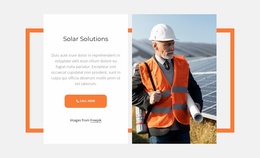
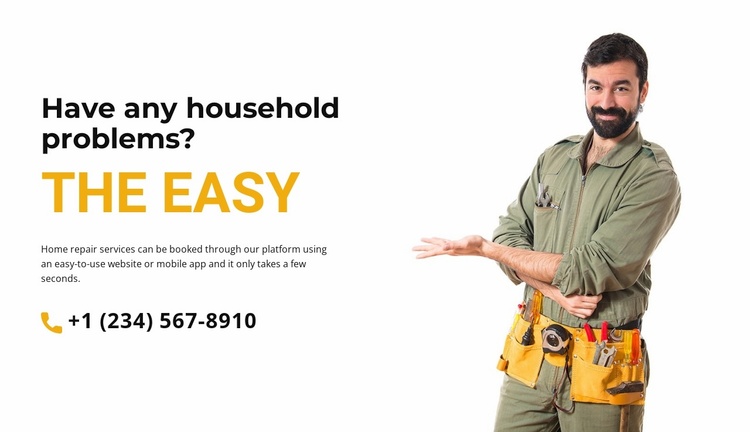
The block establishes one reusable content area for a broader website project: a home repair introduction with a problem-focused heading, an accent heading, supporting booking copy, a phone contact link, and a worker photograph. The left column carries the explanation and contact route, while the full-height image on the right gives the section a recognizable visual boundary. These relationships make the block suitable for a services-oriented area without requiring it to represent every service page or site function.
Within a larger website, this section could introduce the repair offering before neighboring blocks provide individual services, service areas, booking details, or customer information. Its content is compact enough to reuse as a clear opening section, while the white background, black heading hierarchy, and golden-orange accent provide visual cues that related sections could echo. Those surrounding choices would belong to the wider project; this block contributes one defined pattern.
The phone contact link also gives the section a practical place in the site journey. It can point visitors toward the project’s chosen contact or booking destination once the surrounding website is configured. Since the visible number is demo content, the reusable value lies in the contact-channel placement and its connection to the service explanation. The block therefore works as a stable service section inside a broader website template, not as a complete site structure.
Customize with Nicepage
Open this ready-made template in the Website Template Builder and customize it visually in the Nicepage editor. Replace demo content, edit page sections, and adapt the design to your project without rebuilding the template from scratch.
Edit Template Offline
2. Create a new page or select existing
3. Click Add new block, search for id 6001764 and click enter
Edit Template Online
Create Awesome Websites


Free Nicepage Builder
Keywords
Build a Complete Website From This Template
Customize the Website Visually
Use this ready-made website template as a starting point for your project and adapt its pages visually in Nicepage. Change content, images, typography, navigation, sections, and other design elements while keeping the website together as a single editable project.
Manage Website Pages in One Project
Use the Pages panel to open, add, duplicate, and manage the pages of your website. Work on individual pages while keeping navigation and the overall site structure accessible from the same project, making it easier to develop a complete website instead of managing separate page files.
Expand the Website With Matching Designs
When you need additional pages or sections, use Page Design Sets to find Page and Block Designs created in the same visual style. Design Sets group matching designs together, making it easier to expand the website with new content while maintaining a consistent look across its pages and sections.
Organize Larger Multi-Page Websites
As the website grows, use Page Folders to organize related pages and keep larger multi-page projects easier to navigate in the editor. This is especially useful for websites with separate service pages, company information, contacts, landing pages, and other content areas.
This workflow makes the template a practical foundation for building and expanding a complete website while managing its pages, content, and visual design within one Nicepage project.