Needlework lessons Website Template


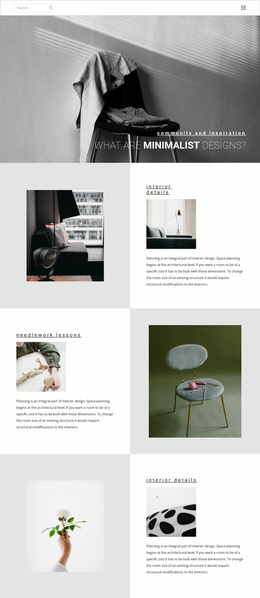
A split planning section for a broader interior design website
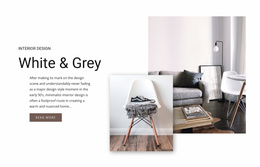
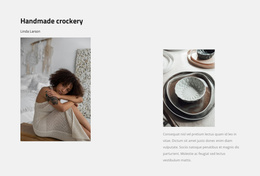
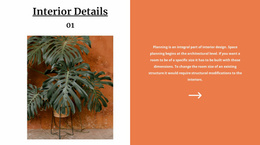
The heading “needlework lessons” and the paragraph about space planning and structural modifications define one clear informational area for a broader website project. Rather than spreading the explanation across several unrelated content groups, the block keeps its message on the left and pairs it with two levels of visual support: a smaller image within the text side and a larger contextual image on the right. That relationship makes the section suitable for introducing an interior design concept before visitors reach more detailed content elsewhere.
The split structure also gives the block a stable role that can be reused or coordinated with neighboring sections. The centered text and underlined heading provide a recognizable pattern for an about or introductory content area, while the large right-side image creates enough visual distinction to separate this section from denser service, portfolio, or contact blocks. The white left panel and light-gray right panel help preserve that separation without requiring additional page-level elements.
Inside a broader Website Template project, this block can serve as one interior design planning section while other blocks handle navigation, deeper offerings, project examples, or inquiries. Its usefulness comes from the self-contained relationship between explanation and imagery; it does not need to carry the structure of the surrounding website. The arrangement can also be repeated as a visual reference when related sections require a similarly calm, image-supported presentation.
Customize with Nicepage
Open this ready-made template in the Website Template Builder and customize it visually in the Nicepage editor. Replace demo content, edit page sections, and adapt the design to your project without rebuilding the template from scratch.
Edit Template Offline
2. Create a new page or select existing
3. Click Add new block, search for id 175440 and click enter
Edit Template Online
Create Awesome Websites


Free Nicepage Builder
Keywords
Use This Block in a Broader Website Template Project
Treat the Block as One Reusable Site Section
A website project is assembled from multiple pages and sections. The analyzed block provides one reusable content area—such as services, About, testimonials, pricing, gallery, team, or contact—while the rest of the site supplies other page-level functions.
Coordinate the Section With Other Pages
Use the Pages panel to manage the pages of the broader project. The block can remain one consistent section pattern while related pages add deeper information or different content without implying that the Block ID itself contains those pages.
Expand With Matching Designs
When additional pages or sections are needed, Page Design Sets can help locate matching Page and Block Designs. This can extend the visual direction around the existing block while keeping the site's other content areas separate.
This workflow treats the block as a reusable building unit inside a larger Website Template project, not as a complete website foundation on its own.