Effective leaders Website Template


A Layered Service Pattern for Broader Website Projects
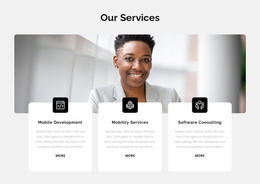
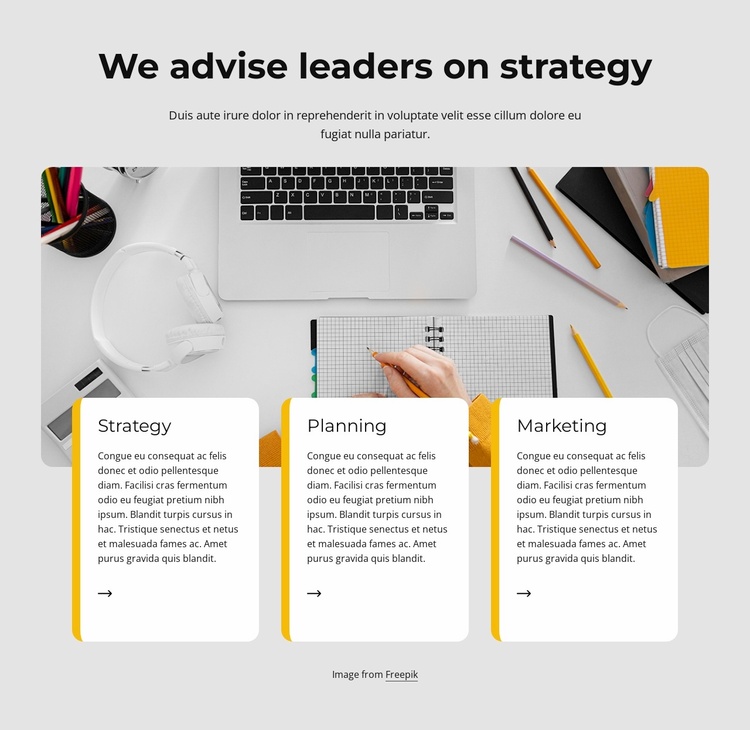
The section already defines one complete content area for a consulting-oriented website project: an introductory message, a workspace image, and three related service categories. The heading “We advise leaders on strategy” provides a stable subject for the section, while the centered paragraph can frame the information before visitors reach the cards. Strategy, Planning, and Marketing then create a reusable service pattern with consistent titles, descriptions, and directional icons.
The image and card relationship gives this pattern more identity than a simple row of unrelated text items. The wide rounded photograph establishes a visual field, and the three white cards overlap its lower edge to connect the service content with that field. Their yellow-orange vertical borders can serve as a recognizable accent within this block while remaining specific to the section’s presentation. In a broader Website Template project, the same type of content area could sit alongside separate blocks for company information, proof, portfolio material, or contact content, without requiring this section to carry those other functions.
Its internal logic is also practical for reuse: the repeated cards share a visual treatment, yet each category retains its own descriptive paragraph. That balance allows the section to remain recognizable when adapted to related consulting content. The light gray background and generous spacing provide room for the block to stand apart from neighboring sections, while the centered opening and left-aligned cards create a clear change in reading direction. The block therefore contributes a stable services pattern, not a complete site structure.
Customize with Nicepage
Open this ready-made template in the Website Template Builder and customize it visually in the Nicepage editor. Replace demo content, edit page sections, and adapt the design to your project without rebuilding the template from scratch.
Edit Template Offline
2. Create a new page or select existing
3. Click Add new block, search for id 1673411 and click enter
Edit Template Online
Create Awesome Websites


Free Nicepage Builder
Keywords
Build a Complete Website From This Template
Customize the Website Visually
Use this ready-made website template as a starting point for your project and adapt its pages visually in Nicepage. Change content, images, typography, navigation, sections, and other design elements while keeping the website together as a single editable project.
Manage Website Pages in One Project
Use the Pages panel to open, add, duplicate, and manage the pages of your website. Work on individual pages while keeping navigation and the overall site structure accessible from the same project, making it easier to develop a complete website instead of managing separate page files.
Expand the Website With Matching Designs
When you need additional pages or sections, use Page Design Sets to find Page and Block Designs created in the same visual style. Design Sets group matching designs together, making it easier to expand the website with new content while maintaining a consistent look across its pages and sections.
Organize Larger Multi-Page Websites
As the website grows, use Page Folders to organize related pages and keep larger multi-page projects easier to navigate in the editor. This is especially useful for websites with separate service pages, company information, contacts, landing pages, and other content areas.
This workflow makes the template a practical foundation for building and expanding a complete website while managing its pages, content, and visual design within one Nicepage project.