Accordion and List Website Template


A Reusable Careers Section Separates Roles From Workplace Information
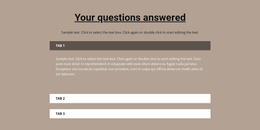
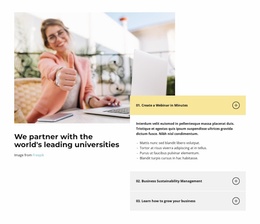
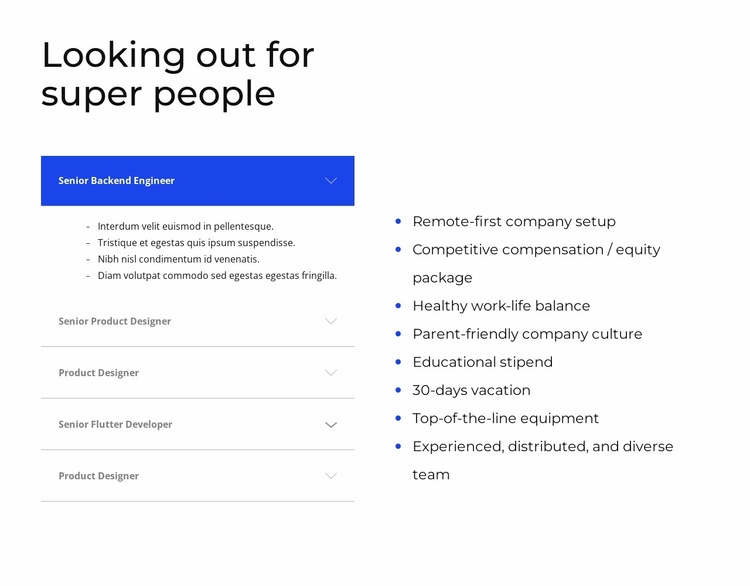
The section can provide a stable careers area within a broader website project. Its five accordion entries organize role-specific information on the left, allowing a visitor to choose among positions such as Senior Backend Engineer, Senior Product Designer, Product Designer, and Senior Flutter Developer. The first entry is expanded, showing how detailed content can remain associated with one role without turning the block into a long, flat list.
The right side supplies eight employment benefits as a separate but related content category. Remote-first work, compensation and equity, work-life balance, parent-friendly culture, educational support, vacation, equipment, and a distributed team create a persistent workplace overview. This makes the section reusable as a careers pattern while other blocks or pages can handle company introductions, projects, contact information, or application instructions.
The visual treatment supports that broader project role without claiming to define the whole website. The heading provides a clear entry point, blue connects the active accordion row with the benefit markers, and gray dividers keep the role list orderly. Nicepage's Page Design Set can be relevant when coordinating additional page and block designs around a section like this. The block itself remains one reusable careers section within that larger project.
Customize with Nicepage
Open this ready-made template in the Website Template Builder and customize it visually in the Nicepage editor. Replace demo content, edit page sections, and adapt the design to your project without rebuilding the template from scratch.
Edit Template Offline
2. Create a new page or select existing
3. Click Add new block, search for id 1284569 and click enter
Edit Template Online
Create Awesome Websites


Free Nicepage Builder
Keywords
Build a Complete Website From This Template
Customize the Website Visually
Use this ready-made website template as a starting point for your project and adapt its pages visually in Nicepage. Change content, images, typography, navigation, sections, and other design elements while keeping the website together as a single editable project.
Manage Website Pages in One Project
Use the Pages panel to open, add, duplicate, and manage the pages of your website. Work on individual pages while keeping navigation and the overall site structure accessible from the same project, making it easier to develop a complete website instead of managing separate page files.
Expand the Website With Matching Designs
When you need additional pages or sections, use Page Design Sets to find Page and Block Designs created in the same visual style. Design Sets group matching designs together, making it easier to expand the website with new content while maintaining a consistent look across its pages and sections.
Organize Larger Multi-Page Websites
As the website grows, use Page Folders to organize related pages and keep larger multi-page projects easier to navigate in the editor. This is especially useful for websites with separate service pages, company information, contacts, landing pages, and other content areas.
This workflow makes the template a practical foundation for building and expanding a complete website while managing its pages, content, and visual design within one Nicepage project.