Privacy policy Web Page Design



Edit Template Offline
2. Create new page and search for id 6543911
Edit Template Online
Create Awesome Websites


Free Nicepage Builder
Keywords
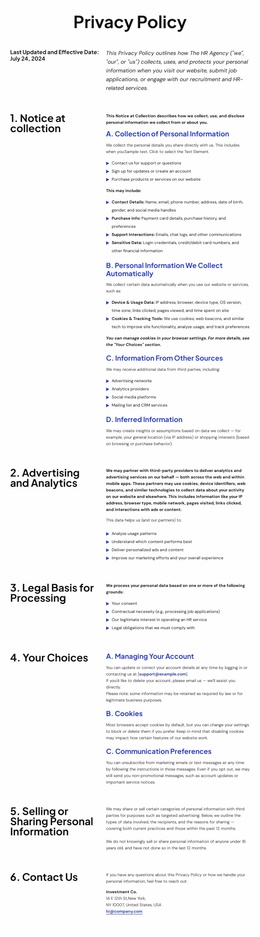
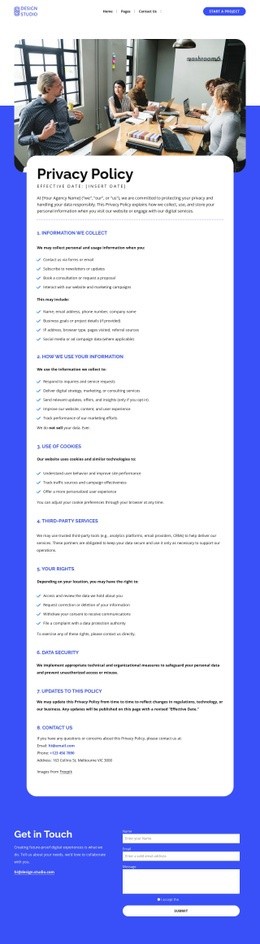
Numbered labels and detailed text create a readable page rhythm
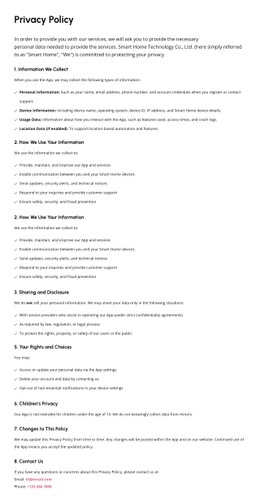
The composition depends on a repeated visual relationship rather than on large changes between sections. The opening blue banner provides a full-width transition from the navigation header into the legal document. Below it, each major policy block places a numbered heading in a relatively compact left column and gives the right column to detailed paragraphs, lists, and subsections. This creates a stable reading rhythm while allowing the content density to change from collection disclosures to rights procedures.
The sequence also controls information hierarchy. Collection appears first, so visitors encounter the scope of personal information before reading about advertising and analytics. Legal basis follows as an explanatory layer, then choices and sharing address how information may be controlled or disclosed. The rights section carries the greatest procedural density, with request, appeal, agent, and California-specific material grouped together. The final Contact Us block returns to a simpler two-column relationship and provides a clear visual ending for the policy body.
The dark footer changes both color and density after the final policy section. Its multi-column arrangement distributes help links, social links, organization details, and contact channels instead of extending the legal text indefinitely. That transition gives the page a composed finish. The design therefore works through section placement, repeated alignment, and contrast between the blue opening, white reading field, and black closing region.
Customize with Nicepage
Open this ready-made template in the Web Page Design Builder and customize it visually in the Nicepage editor. Replace demo content, edit page sections, and adapt the design to your project without rebuilding the template from scratch.
Design a Web Page Section by Section
Choose a Design for Each Section
Build the page from individual content sections instead of starting with a fixed full-page layout. Use Block Designs to browse ready-made sections for different purposes, including introductions, services, galleries, testimonials, contact forms, pricing, and other common parts of a web page. Search or filter the available designs to find a layout that fits the content you want to add.
Combine Blocks and Page Elements
Add selected Blocks to the page and arrange them in the order that supports the page's purpose. A hero section can introduce the main message, followed by services, benefits, portfolio content, testimonials, calls to action, or contact information.
Inside each section, use Web Page Elements such as Text, Image, Hyperlink, Grid, Gallery, and other elements to build and present the page content. Individual elements can be added and adjusted within the Blocks, giving you more control over the composition of each section without having to create the complete layout from scratch.
Refine the Page Layout and Flow
After assembling the main sections, adjust their content, spacing, backgrounds, images, typography, and element placement in the Nicepage editor. Reorder Blocks when necessary and refine the transition from one section to the next so the information hierarchy and visual flow remain clear throughout the page.
This workflow makes the template useful as a web page design that can be composed from ready-made sections, customized with individual page elements, rearranged, and adapted to the content and purpose of an individual page.