How does a farm work? Web Page Design


Alternating images and white panels create a strong mid-page rhythm
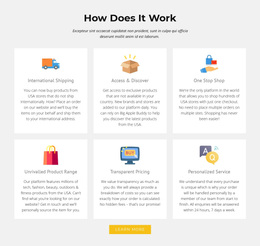
The composition begins with a centered “How it Works?” heading and an introductory paragraph, giving the page a calm entry point before the denser feature area. Beneath that opening, three agricultural practice items distribute information across a three-column, two-row arrangement. Animal husbandry, Organic Farming, and Arable Farming each pair a written explanation with an agricultural image, so the reader can move between visual context and descriptive content rather than facing a long uninterrupted paragraph.
The alternating placement of images and white text panels produces a repeated rhythm across the section. Green line-art icons sit above the feature titles and provide small visual anchors, while the green background connects the separate item regions. The result is a composition with a clear hierarchy: introduction first, repeated practices second, and image-text contrast supporting the transition between them.
Within a web page, this block can work as a substantial mid-page unit between broader content areas. Its visual density is greater than a simple text section, but its repeated pattern keeps the information organized. The surrounding page can provide the sections before and after it, allowing this block to contribute a defined agricultural explanation without carrying the whole page structure.
Customize with Nicepage
Open this ready-made template in the Web Page Design Builder and customize it visually in the Nicepage editor. Replace demo content, edit page sections, and adapt the design to your project without rebuilding the template from scratch.
Edit Template Offline
2. Create a new page or select existing
3. Click Add new block, search for id 41863 and click enter
Edit Template Online
Create Awesome Websites


Free Nicepage Builder
Keywords
Design a Web Page Section by Section
Choose a Design for Each Section
Build the page from individual content sections instead of starting with a fixed full-page layout. Use Block Designs to browse ready-made sections for different purposes, including introductions, services, galleries, testimonials, contact forms, pricing, and other common parts of a web page. Search or filter the available designs to find a layout that fits the content you want to add.
Combine Blocks and Page Elements
Add selected Blocks to the page and arrange them in the order that supports the page's purpose. A hero section can introduce the main message, followed by services, benefits, portfolio content, testimonials, calls to action, or contact information.
Inside each section, use Web Page Elements such as Text, Image, Hyperlink, Grid, Gallery, and other elements to build and present the page content. Individual elements can be added and adjusted within the Blocks, giving you more control over the composition of each section without having to create the complete layout from scratch.
Refine the Page Layout and Flow
After assembling the main sections, adjust their content, spacing, backgrounds, images, typography, and element placement in the Nicepage editor. Reorder Blocks when necessary and refine the transition from one section to the next so the information hierarchy and visual flow remain clear throughout the page.
This workflow makes the template useful as a web page design that can be composed from ready-made sections, customized with individual page elements, rearranged, and adapted to the content and purpose of an individual page.