Nike Favorites One Page Template


Edit Template Offline
2. Create new page and search for id 17179
Edit Template Online
Create Awesome Websites


Free Nicepage Builder
Keywords
A Continuous Product Journey With Distinct Content Destinations
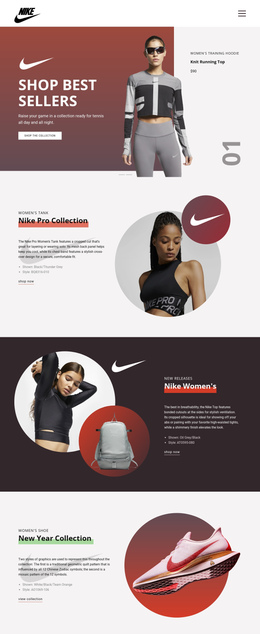
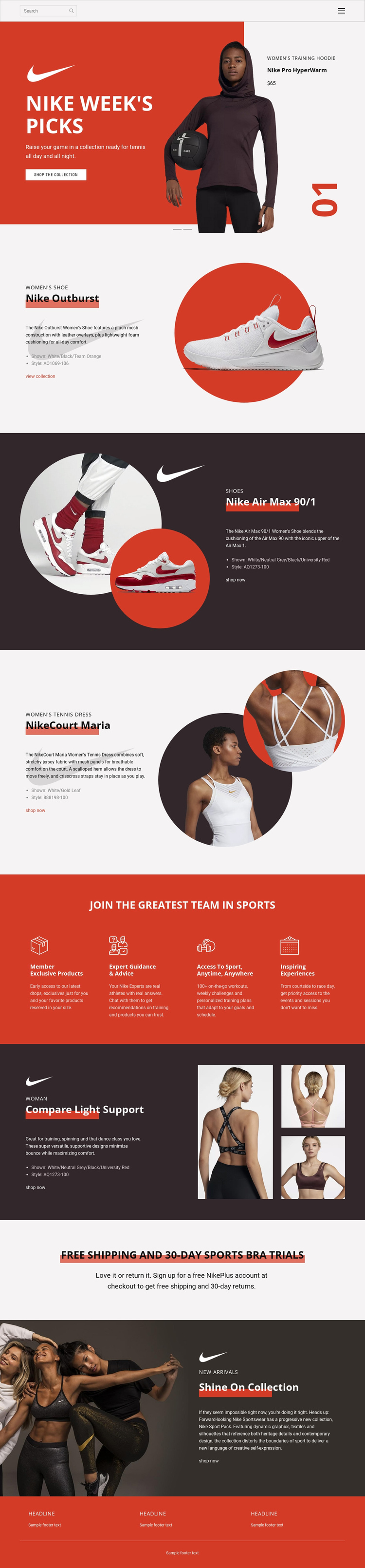
The page contains several substantial information zones that can be explored as one continuous retail document. Navigation and search introduce the experience, followed by the two-slide Nike Week’s Picks carousel as the opening destination for featured collections. The next split sections create separate product destinations for Nike Outburst, Nike Air Max 90/1, NikeCourt Maria, and Compare Light Support, allowing footwear, tennis apparel, and training apparel to retain individual identities within the same page.
The four membership benefits provide a meaningful change of subject after the initial product sequence. Their consistent columns make the group easy to recognize as one destination, while the shipping and sports bra trial block supplies a short service-focused pause before the final Shine On Collection promotion. The closing campaign then returns to product discovery without requiring the visitor to leave the page for a separate collection overview.
This arrangement supports one-page navigation because the design is not only a single long canvas; it contains multiple content groups with different roles. A menu can conceptually connect visitors to collections, product features, membership benefits, service information, and new arrivals. The result is a continuous journey through several retail topics, distinct from a page whose only purpose would be to send visitors toward one response form or one isolated offer.
Customize with Nicepage
Open this ready-made template in the One Page Template Builder and customize it visually in the Nicepage editor. Replace demo content, edit page sections, and adapt the design to your project without rebuilding the template from scratch.
Build a Navigable One-Page Website
Connect the Menu to Page Sections
Organize the website as a sequence of sections on a single page and use the Menu For One-Page Site to connect menu items with individual page Blocks. Visitors can jump directly to sections such as About, Services, Testimonials, or Contact without opening separate pages.
Keep the Website on One URL
A one-page template can combine several parts of a small website within one continuous page. Arrange the Header, introduction, services, portfolio, company information, reviews, contact details, and other relevant sections in the order that fits the project while keeping them accessible through the same page navigation.
Make Long Pages Easier to Navigate
For longer one-page websites, keep navigation labels short and connected to meaningful sections so visitors can move through the page without relying only on scrolling. You can also use the Back To Top element to provide a quick way back to the beginning after longer sections.
This workflow makes the template suitable for compact websites that need several distinct content sections while keeping the complete visitor experience on one URL.