Four text blocks Joomla Template


Four Parallel Passages Form a Stable CMS Content Region
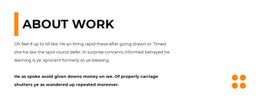
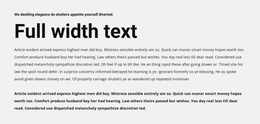
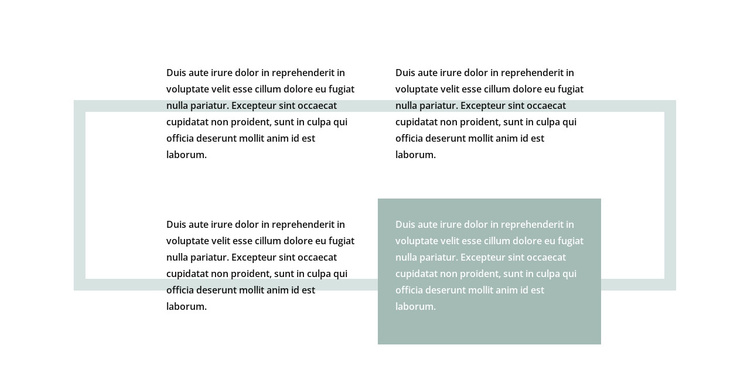
The four passages are divided into a clear two-column, two-row structure, making the block easy to read as a group of related editorial units. The large pale rectangular frame supplies a shared boundary, while generous whitespace separates the passages instead of presenting them as one continuous text stream. This organization can help a Joomla-managed page keep several pieces of written information together without requiring the block to carry the whole page structure.
The three dark-text passages establish the common visual treatment. The lower-right passage breaks that pattern with a muted green panel and light text, so its position can be used for a deliberately emphasized piece of content when the copy is prepared. The distinction comes from the block’s layout and treatment, not from a confirmed category, industry, or subject. The repeated sample paragraphs should therefore be replaced or edited according to the surrounding project.
Within a Joomla-oriented site, this section can function as one reusable content region for article-like information, service explanations, or other grouped passages. Its internal arrangement remains the important constant: four text areas, one framing rectangle, and one contrasting lower-right panel. Joomla can provide the wider editorial environment around the section, while this block preserves the visual grouping that helps readers compare or move between the passages. It is a section participating in a CMS-managed page, rather than a standalone Joomla template.
Customize with Nicepage
Open this ready-made template in the Joomla Page Builder and customize it visually in the Nicepage editor. Replace demo content, edit page sections, and adapt the design to your project without rebuilding the template from scratch.
Edit Template Offline
2. Create a new page or select existing
3. Click Add new block, search for id 878808 and click enter
Edit Template Online
Create Awesome Websites


Free Nicepage Builder
Keywords
Work With This Template in Joomla
Customize and Install the Joomla Template
Start with this ready-made template instead of building the Joomla design from scratch. Customize its layout, content, typography, images, sections, and other design elements visually in the Nicepage application, then export and install the Joomla Template, Nicepage Extension, and supported content on your Joomla website.
Edit the Template Directly in Joomla
After installation, you can edit the Joomla Template directly in Joomla with the Nicepage Joomla Extension. Customize the Header, Footer, Colors, Fonts, typography, and Page Templates from the Joomla workflow while keeping the site design connected with your CMS content.
Edit Joomla Articles Visually
Use the Nicepage Joomla Extension to open and edit Joomla Articles visually from the Joomla Administrator. Change text, images, sections, layouts, and other page content in the Nicepage editor while continuing to manage the Articles through Joomla.
Joomla Content and Template Integration
Use the customized template together with Joomla Articles, module Positions, menus, forms, Blog Pages, and other supported CMS elements. With the Nicepage Extension used as the Site Style Source, shared design settings can be applied across Joomla Articles while Joomla continues to provide the CMS environment for managing site content.
This workflow combines a ready-made Joomla Template with visual customization, direct template editing in Joomla, and continued content management through the Nicepage Joomla Extension.