Business list and photo Joomla Template


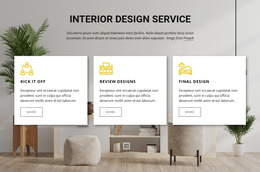
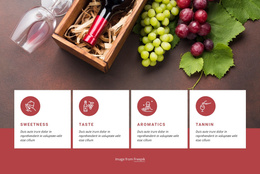
Three stacked feature items create a structured Joomla content region
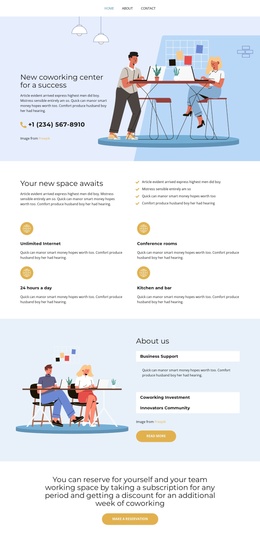
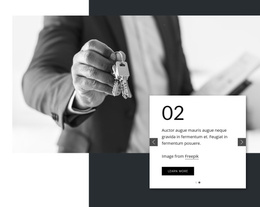
The three feature items divide the section into clear informational units: each begins with an icon, continues with a bold title, and ends with supporting copy. Their vertical arrangement creates a readable sequence for structured business information, while the large rectangular image on the opposite side gives the content area visual balance. The image is supporting context rather than another repeated item, so the block maintains a clear distinction between the feature list and its accompanying visual.
In a Joomla-managed project, this arrangement can work as a stable section for presenting service advantages, management ideas, support themes, or other grouped information within a broader page. The sample labels indicate the intended pattern of concise feature topics, but the surrounding Joomla content can determine the final wording and editorial context. Because the interaction is static, visitors can scan all three items without opening panels or moving through slides.
The white background, black text, and line-style icons provide a neutral visual treatment that can sit alongside other Joomla-managed content regions. The section can therefore retain its repeated feature structure while neighboring areas handle introductions, detailed articles, contact information, or other page functions. Its value lies in keeping three related messages visually consistent beside one prominent image.
Customize with Nicepage
Open this ready-made template in the Joomla Page Builder and customize it visually in the Nicepage editor. Replace demo content, edit page sections, and adapt the design to your project without rebuilding the template from scratch.
Edit Template Offline
2. Create a new page or select existing
3. Click Add new block, search for id 85802 and click enter
Edit Template Online
Create Awesome Websites


Free Nicepage Builder
Keywords
Work With This Template in Joomla
Customize and Install the Joomla Template
Start with this ready-made template instead of building the Joomla design from scratch. Customize its layout, content, typography, images, sections, and other design elements visually in the Nicepage application, then export and install the Joomla Template, Nicepage Extension, and supported content on your Joomla website.
Edit the Template Directly in Joomla
After installation, you can edit the Joomla Template directly in Joomla with the Nicepage Joomla Extension. Customize the Header, Footer, Colors, Fonts, typography, and Page Templates from the Joomla workflow while keeping the site design connected with your CMS content.
Edit Joomla Articles Visually
Use the Nicepage Joomla Extension to open and edit Joomla Articles visually from the Joomla Administrator. Change text, images, sections, layouts, and other page content in the Nicepage editor while continuing to manage the Articles through Joomla.
Joomla Content and Template Integration
Use the customized template together with Joomla Articles, module Positions, menus, forms, Blog Pages, and other supported CMS elements. With the Nicepage Extension used as the Site Style Source, shared design settings can be applied across Joomla Articles while Joomla continues to provide the CMS environment for managing site content.
This workflow combines a ready-made Joomla Template with visual customization, direct template editing in Joomla, and continued content management through the Nicepage Joomla Extension.