Dark Fiction Author Joomla Template


Edit Template Offline
2. Create new page and search for id 6661499
Edit Template Online
Create Awesome Websites


Free Nicepage Builder
Keywords
Book offerings and review excerpts divide the page into managed content regions
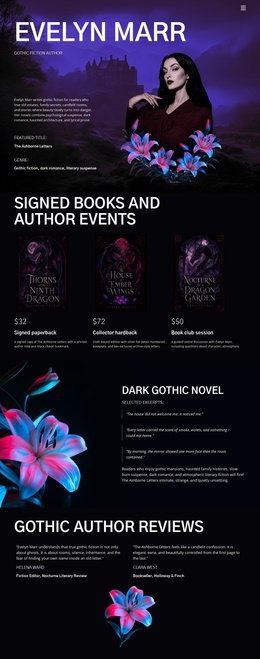
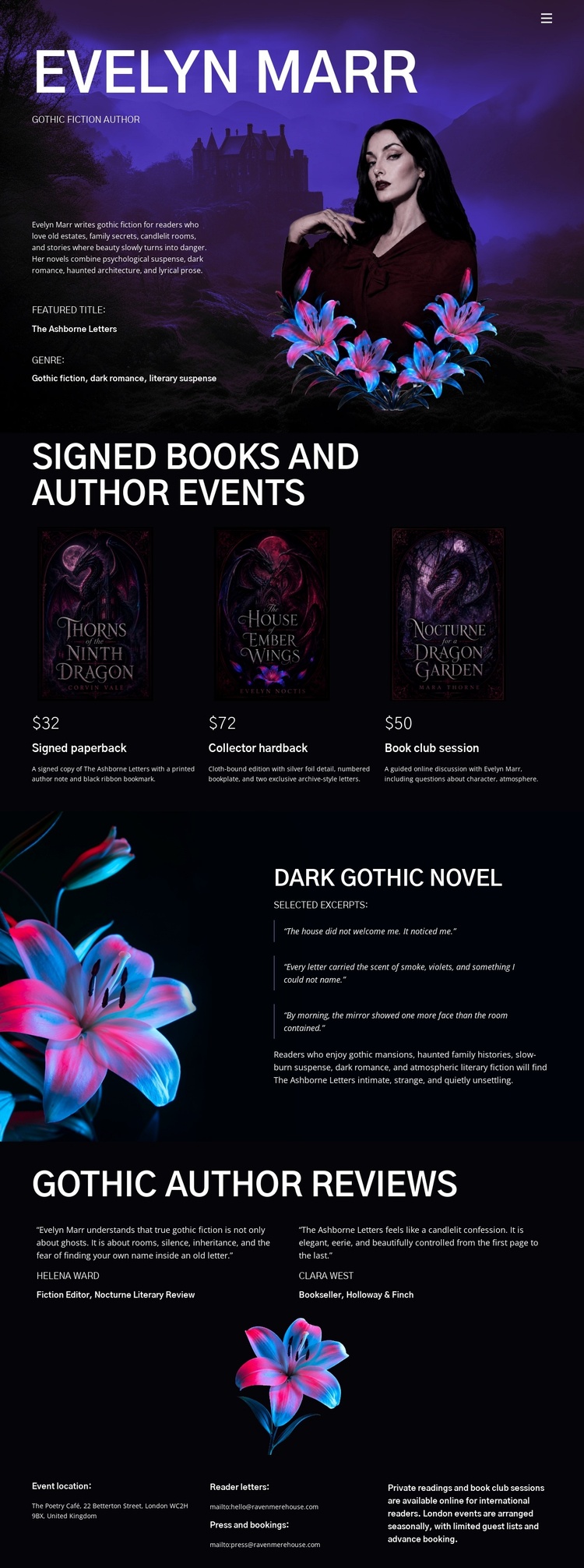
The design separates literary information into recognizable areas that can support a CMS-managed Joomla presentation. The portrait hero provides the shared opening context for Evelyn Marr, while the signed-book section organizes three offerings into a repeated group of cover images, titles, prices, and short descriptions. That repeated structure is useful when the project needs several related book entries to remain visually coordinated rather than being presented as unrelated text blocks.
The author-events content introduces a different information role, creating a place for announcements or event details within the same visual direction. The featured dark gothic novel then uses a split arrangement, pairing floral artwork with a description and highlighted excerpt. This gives editorial content its own region instead of forcing it into the product-card pattern. At the end, three review excerpts are arranged around a central floral illustration, creating a separate area for reader or publication responses.
Together, the navigation, repeated book content, event area, and review structure suggest a useful division between shared site access and individual content regions. A Joomla project could preserve the dark purple and black presentation while organizing these areas as managed site content. The design does not prove that Joomla Articles, module Positions, or categories already exist, so the interpretation remains focused on how the confirmed sections can fit a Joomla-oriented information structure rather than claiming CMS elements are present.
Customize with Nicepage
Open this ready-made template in the Joomla Page Builder and customize it visually in the Nicepage editor. Replace demo content, edit page sections, and adapt the design to your project without rebuilding the template from scratch.
Work With This Template in Joomla
Customize and Install the Joomla Template
Start with this ready-made template instead of building the Joomla design from scratch. Customize its layout, content, typography, images, sections, and other design elements visually in the Nicepage application, then export and install the Joomla Template, Nicepage Extension, and supported content on your Joomla website.
Edit the Template Directly in Joomla
After installation, you can edit the Joomla Template directly in Joomla with the Nicepage Joomla Extension. Customize the Header, Footer, Colors, Fonts, typography, and Page Templates from the Joomla workflow while keeping the site design connected with your CMS content.
Edit Joomla Articles Visually
Use the Nicepage Joomla Extension to open and edit Joomla Articles visually from the Joomla Administrator. Change text, images, sections, layouts, and other page content in the Nicepage editor while continuing to manage the Articles through Joomla.
Joomla Content and Template Integration
Use the customized template together with Joomla Articles, module Positions, menus, forms, Blog Pages, and other supported CMS elements. With the Nicepage Extension used as the Site Style Source, shared design settings can be applied across Joomla Articles while Joomla continues to provide the CMS environment for managing site content.
This workflow combines a ready-made Joomla Template with visual customization, direct template editing in Joomla, and continued content management through the Nicepage Joomla Extension.