Legengs of jazz music Joomla Template



Edit Template Offline
2. Create new page and search for id 13021
Edit Template Online
Create Awesome Websites


Free Nicepage Builder
Keywords
Festival Cards and Reference Panels Divide the Editorial Content
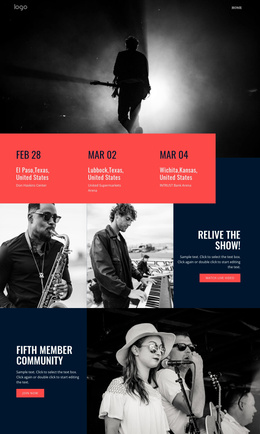
The event cards and reference panels create distinct information areas that can be understood as organized CMS content rather than as one uninterrupted article. Canary Wharf Jazz Festival and EFG London Jazz Festival each receive a consistent card treatment with an image, title, description, and Read more action. That repeated structure is suitable for maintaining related event information while preserving a common visual relationship between entries.
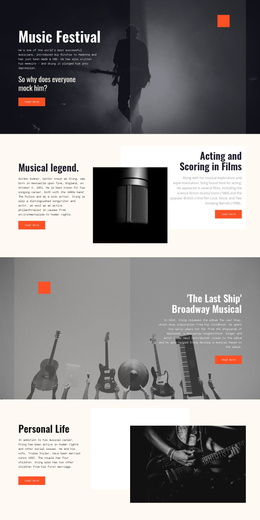
The rest of the page supplies complementary regions for a structured site. The navigation header identifies the publication and points to page destinations, the lead story establishes the primary editorial feature, and the second article adds another musician-centered content area. The concert gallery separates visual coverage from written stories, while the History, Jazz Piano, and Artists panels group reference subjects into three concise topics. A shared footer contains the Jazz Forever statement and four social links, giving the page a stable closing region. In a Joomla project, these areas could be mapped to CMS-managed content and navigation while keeping their relationships visible. The interpretation concerns how the verified sections divide editorial material; it does not claim that Joomla Articles or module positions already exist in the source design.
Customize with Nicepage
Open this ready-made template in the Joomla Page Builder and customize it visually in the Nicepage editor. Replace demo content, edit page sections, and adapt the design to your project without rebuilding the template from scratch.
Work With This Template in Joomla
Customize and Install the Joomla Template
Start with this ready-made template instead of building the Joomla design from scratch. Customize its layout, content, typography, images, sections, and other design elements visually in the Nicepage application, then export and install the Joomla Template, Nicepage Extension, and supported content on your Joomla website.
Edit the Template Directly in Joomla
After installation, you can edit the Joomla Template directly in Joomla with the Nicepage Joomla Extension. Customize the Header, Footer, Colors, Fonts, typography, and Page Templates from the Joomla workflow while keeping the site design connected with your CMS content.
Edit Joomla Articles Visually
Use the Nicepage Joomla Extension to open and edit Joomla Articles visually from the Joomla Administrator. Change text, images, sections, layouts, and other page content in the Nicepage editor while continuing to manage the Articles through Joomla.
Joomla Content and Template Integration
Use the customized template together with Joomla Articles, module Positions, menus, forms, Blog Pages, and other supported CMS elements. With the Nicepage Extension used as the Site Style Source, shared design settings can be applied across Joomla Articles while Joomla continues to provide the CMS environment for managing site content.
This workflow combines a ready-made Joomla Template with visual customization, direct template editing in Joomla, and continued content management through the Nicepage Joomla Extension.