Best barbers Joomla Template



Edit Template Offline
2. Create new page and search for id 6410539
Edit Template Online
Create Awesome Websites


Free Nicepage Builder
Keywords
Service Categories and Contact Regions Form Manageable Site Content
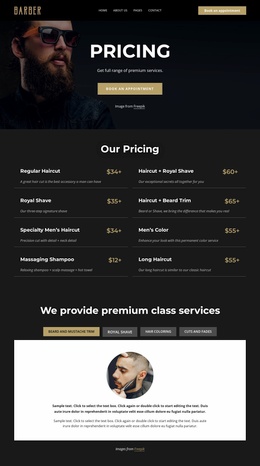
The four service tabs divide the design into structured informational areas that can be maintained as distinct grooming topics. Beard and mustache trim, royal shave, hair coloring, and cuts and fades each represent a clear category, while the large white panel provides a consistent place for the related image and description. In a Joomla-managed project, that separation gives editorial content a recognizable relationship to the service navigation without claiming that Joomla Articles or modules already exist in the template.
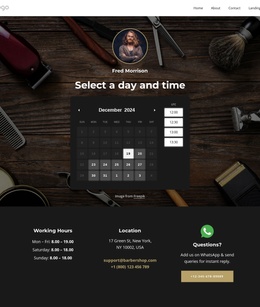
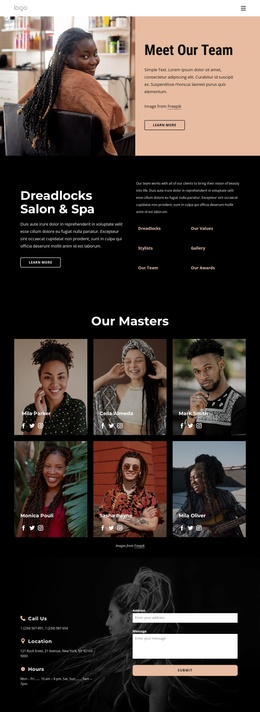
The team section offers a different content pattern. Six repeated profile cards group portraits with barber roles, names, and appointment buttons. Those recurring records can be understood as individual staff-oriented content areas, while the shared card treatment keeps them visually coordinated. The photographic hero and gold booking action then provide a common introduction, and the dark footer brings opening hours, location, email, telephone, social links, and questions support into a reusable contact region.
Together, these areas suit a CMS-managed site because the page distinguishes people, services, and practical business information instead of presenting one long undivided text panel. Navigation can connect visitors to the major content regions, while the existing visual system preserves the relationship between editorial updates and the dark, charcoal, white, and gold presentation. The Joomla interpretation therefore comes from the design’s structured content areas, not from an unsupported claim that specific CMS records are already present.
Customize with Nicepage
Open this ready-made template in the Joomla Page Builder and customize it visually in the Nicepage editor. Replace demo content, edit page sections, and adapt the design to your project without rebuilding the template from scratch.
Work With This Template in Joomla
Customize and Install the Joomla Template
Start with this ready-made template instead of building the Joomla design from scratch. Customize its layout, content, typography, images, sections, and other design elements visually in the Nicepage application, then export and install the Joomla Template, Nicepage Extension, and supported content on your Joomla website.
Edit the Template Directly in Joomla
After installation, you can edit the Joomla Template directly in Joomla with the Nicepage Joomla Extension. Customize the Header, Footer, Colors, Fonts, typography, and Page Templates from the Joomla workflow while keeping the site design connected with your CMS content.
Edit Joomla Articles Visually
Use the Nicepage Joomla Extension to open and edit Joomla Articles visually from the Joomla Administrator. Change text, images, sections, layouts, and other page content in the Nicepage editor while continuing to manage the Articles through Joomla.
Joomla Content and Template Integration
Use the customized template together with Joomla Articles, module Positions, menus, forms, Blog Pages, and other supported CMS elements. With the Nicepage Extension used as the Site Style Source, shared design settings can be applied across Joomla Articles while Joomla continues to provide the CMS environment for managing site content.
This workflow combines a ready-made Joomla Template with visual customization, direct template editing in Joomla, and continued content management through the Nicepage Joomla Extension.