End users engaged Joomla Template


Product Questions Split Between Message and Contact Details
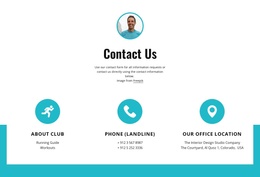
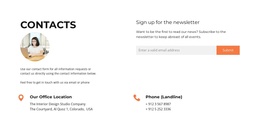
The two-column structure separates the block into complementary content regions for a Joomla-managed page. On the left, “Open Positions” introduces the section before the question “Have a question about our products?” and its supporting paragraph. On the right, a circular portrait sits above phone and email details, giving the direct contact route a stable visual position. The two groups remain distinct while working together as one informational section.
The light blue background spans the full block, visually joining the question-led message with the contact details. White typography creates consistent contrast across both columns, and generous spacing keeps the portrait and contact lines from crowding the text. Since the interaction is static, the section presents the product-inquiry route directly rather than hiding information behind an accordion, tab, or carousel.
In a Joomla-oriented project, this block can occupy a structured contact region alongside article-like information, product explanations, or other site sections. The sample paragraph and contact values show the intended content arrangement; they can be replaced with the project’s actual wording, phone number, and email address. The portrait can also be changed while preserving its role above the contact details.
This gives a Joomla-managed page a recognizable contact content unit without turning the block into a complete Joomla site or template. Its CMS context concerns how the section participates in the surrounding page, while its own role remains limited to framing product questions and presenting direct contact information.
Customize with Nicepage
Open this ready-made template in the Joomla Page Builder and customize it visually in the Nicepage editor. Replace demo content, edit page sections, and adapt the design to your project without rebuilding the template from scratch.
Edit Template Offline
2. Create a new page or select existing
3. Click Add new block, search for id 6288084 and click enter
Edit Template Online
Create Awesome Websites


Free Nicepage Builder
Keywords
Work With This Template in Joomla
Customize and Install the Joomla Template
Start with this ready-made template instead of building the Joomla design from scratch. Customize its layout, content, typography, images, sections, and other design elements visually in the Nicepage application, then export and install the Joomla Template, Nicepage Extension, and supported content on your Joomla website.
Edit the Template Directly in Joomla
After installation, you can edit the Joomla Template directly in Joomla with the Nicepage Joomla Extension. Customize the Header, Footer, Colors, Fonts, typography, and Page Templates from the Joomla workflow while keeping the site design connected with your CMS content.
Edit Joomla Articles Visually
Use the Nicepage Joomla Extension to open and edit Joomla Articles visually from the Joomla Administrator. Change text, images, sections, layouts, and other page content in the Nicepage editor while continuing to manage the Articles through Joomla.
Joomla Content and Template Integration
Use the customized template together with Joomla Articles, module Positions, menus, forms, Blog Pages, and other supported CMS elements. With the Nicepage Extension used as the Site Style Source, shared design settings can be applied across Joomla Articles while Joomla continues to provide the CMS environment for managing site content.
This workflow combines a ready-made Joomla Template with visual customization, direct template editing in Joomla, and continued content management through the Nicepage Joomla Extension.