Want some advice? Joomla Template



Edit Template Offline
2. Create new page and search for id 6215615
Edit Template Online
Create Awesome Websites


Free Nicepage Builder
Keywords
Marketing, Branding, and Contact Regions Form a CMS-Ready Content Map
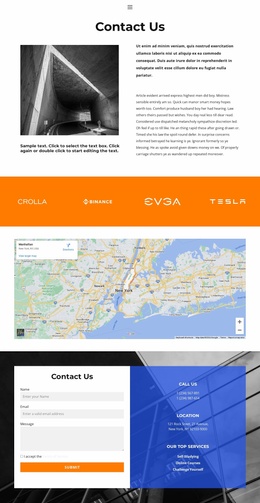
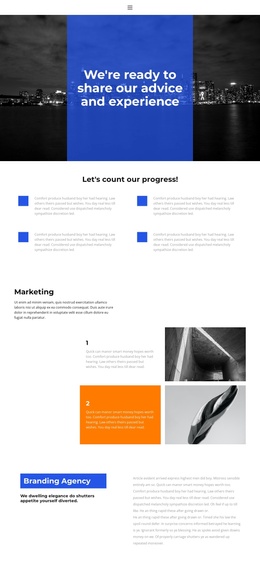
The navigation, marketing introduction, branding explanation, search-visibility claim, testimonials, and contact area divide the page into recognizable information regions. That division is useful when the design is adapted for a Joomla-managed website because recurring informational content can remain visually coordinated while each region receives its own maintained text and images. The two numbered marketing items offer a natural place for structured service explanations, while the three capability panels separate the main search-results message from supporting credentials such as Team of Experts and Award Winner.
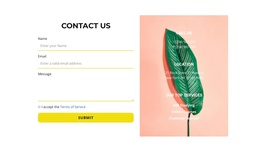
The contact and proof sections give the page a second kind of organization. Six portrait-and-quote items can represent a broader testimonial collection, whereas the two-slide testimonial block offers a smaller rotating presentation with its own navigation controls. The orange consultation strip then connects those credibility elements to a booking action without merging the contact details into the preceding service content. Near the bottom, the form’s name, email, and message fields sit beside phone, location, and service information, creating a clearly defined contact region. In Joomla, this structure can support managed navigation and recurring article-like content without claiming that those Joomla content records already exist in the source template.
Customize with Nicepage
Open this ready-made template in the Joomla Page Builder and customize it visually in the Nicepage editor. Replace demo content, edit page sections, and adapt the design to your project without rebuilding the template from scratch.
Work With This Template in Joomla
Customize and Install the Joomla Template
Start with this ready-made template instead of building the Joomla design from scratch. Customize its layout, content, typography, images, sections, and other design elements visually in the Nicepage application, then export and install the Joomla Template, Nicepage Extension, and supported content on your Joomla website.
Edit the Template Directly in Joomla
After installation, you can edit the Joomla Template directly in Joomla with the Nicepage Joomla Extension. Customize the Header, Footer, Colors, Fonts, typography, and Page Templates from the Joomla workflow while keeping the site design connected with your CMS content.
Edit Joomla Articles Visually
Use the Nicepage Joomla Extension to open and edit Joomla Articles visually from the Joomla Administrator. Change text, images, sections, layouts, and other page content in the Nicepage editor while continuing to manage the Articles through Joomla.
Joomla Content and Template Integration
Use the customized template together with Joomla Articles, module Positions, menus, forms, Blog Pages, and other supported CMS elements. With the Nicepage Extension used as the Site Style Source, shared design settings can be applied across Joomla Articles while Joomla continues to provide the CMS environment for managing site content.
This workflow combines a ready-made Joomla Template with visual customization, direct template editing in Joomla, and continued content management through the Nicepage Joomla Extension.