We design amazing digital products Joomla Template


About Us content forms a clear Joomla page region
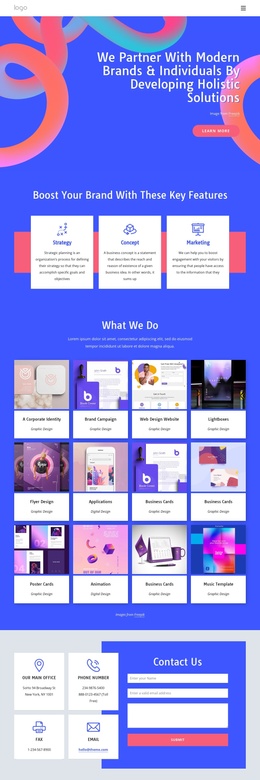
The “About Us” label and the heading “We design digital products and brands” divide this section into a recognizable informational unit. The laptop photograph supplies visual context for the design offering, while the text beneath it gives the region a direct editorial purpose. Because the image appears before the text in a centered vertical arrangement, the block can introduce the subject without depending on a wider article layout or additional page components. The image credit line preserves a supporting content detail, and the “learn more” button offers a natural continuation point.
In a Joomla-managed project, this block can participate as a stable visual content region for structured information about a digital design service. The CMS context can surround it with broader pages and editorial material, while the section itself keeps its own heading, image, credit, and action relationship. The solid blue circle and blue diagonal-stripe circle are not separate information units; they frame the photograph and reinforce the visual distinction of this particular content area. The vivid pink button provides a contrasting action cue against the white background and blue heading hierarchy.
This makes the block suitable for an About-style area that explains what the design offering concerns before visitors continue to deeper service or brand information. Joomla supplies the surrounding content environment; the reusable section contributes a focused introduction with a defined internal order and visual identity.
Customize with Nicepage
Open this ready-made template in the Joomla Page Builder and customize it visually in the Nicepage editor. Replace demo content, edit page sections, and adapt the design to your project without rebuilding the template from scratch.
Edit Template Offline
2. Create a new page or select existing
3. Click Add new block, search for id 6018987 and click enter
Edit Template Online
Create Awesome Websites


Free Nicepage Builder
Keywords
Work With This Template in Joomla
Customize and Install the Joomla Template
Start with this ready-made template instead of building the Joomla design from scratch. Customize its layout, content, typography, images, sections, and other design elements visually in the Nicepage application, then export and install the Joomla Template, Nicepage Extension, and supported content on your Joomla website.
Edit the Template Directly in Joomla
After installation, you can edit the Joomla Template directly in Joomla with the Nicepage Joomla Extension. Customize the Header, Footer, Colors, Fonts, typography, and Page Templates from the Joomla workflow while keeping the site design connected with your CMS content.
Edit Joomla Articles Visually
Use the Nicepage Joomla Extension to open and edit Joomla Articles visually from the Joomla Administrator. Change text, images, sections, layouts, and other page content in the Nicepage editor while continuing to manage the Articles through Joomla.
Joomla Content and Template Integration
Use the customized template together with Joomla Articles, module Positions, menus, forms, Blog Pages, and other supported CMS elements. With the Nicepage Extension used as the Site Style Source, shared design settings can be applied across Joomla Articles while Joomla continues to provide the CMS environment for managing site content.
This workflow combines a ready-made Joomla Template with visual customization, direct template editing in Joomla, and continued content management through the Nicepage Joomla Extension.